 Yamasen Cross-border
The UKCA conformity declaration (UKCA DoC) is a document drafted and signed by the manufacturer, indicating that the product complies with applicable UK regulations and standards. Benefits of uploading the DoC: demonstrate product safety and compliance, enhancing product competitiveness. You need to upload clear photos of the actual products for sale as well as the DoC file. The specific requirements and guidelines for drafting the DoC file are as follows:
1. Clear product photos must be taken in a real environment;
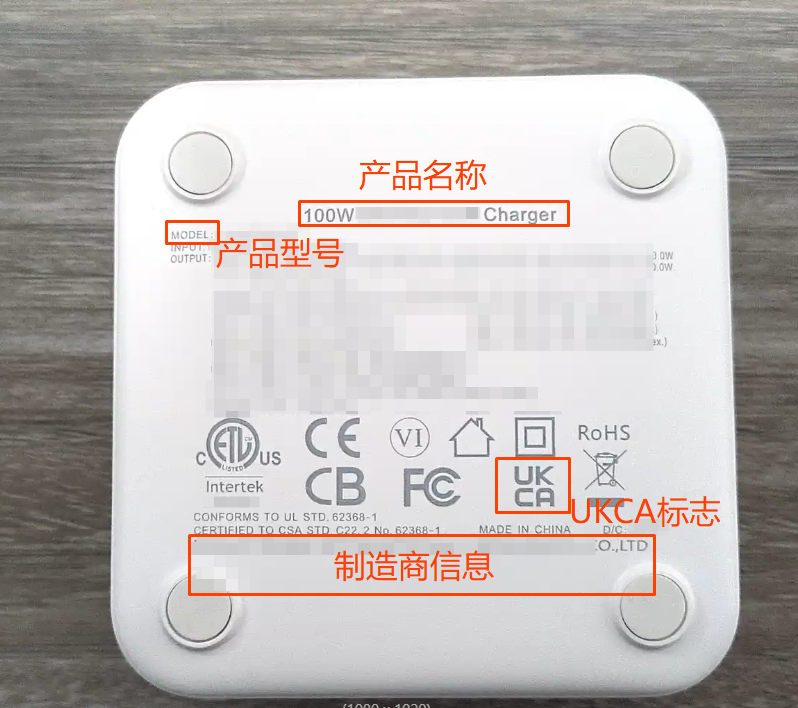
2. The product label information and the actual product for sale must appear in the same photo, and the product label information must be clear and legible;
3. Clear product label information must be taken, including but not limited to:
①Product information: name, model, etc.;
②Manufacturer information: name, address, etc.;
③UKCA mark;
4. The uploaded photo must be completely consistent with the color, appearance, and structural design of the SKU product for sale.
Examples of real photos are as follows (for reference only):
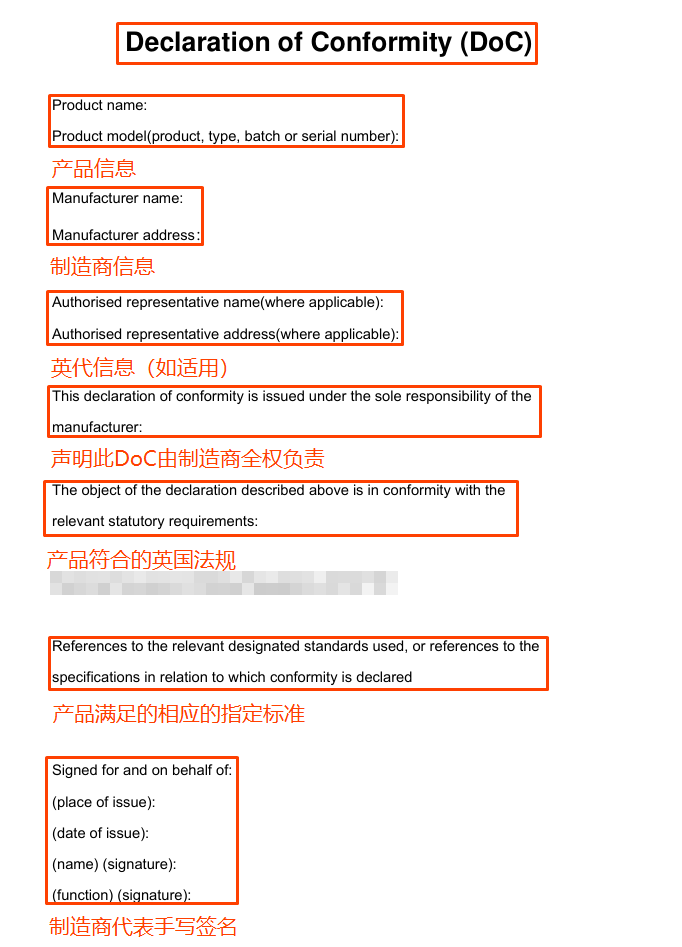
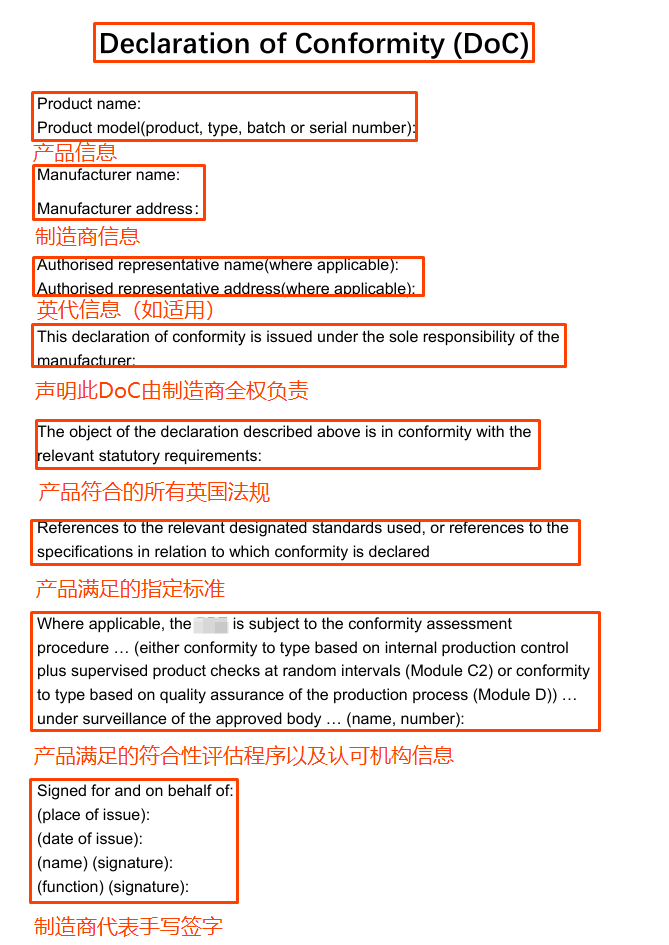
The DoC file must include, but is not limited to, the following information:
1. Title: "DECLARATION OF ConFORMITY".
2. Information required by applicable regulations, such as:
Product information
Manufacturer information
UK agent information (if applicable)
Statement that this DoC is the full responsibility of the manufacturer - compliant with relevant UK regulations (relevant statutory requirements): must match the 'regulations that the product complies with' selected by the merchant
Satisfied designated standards
Other necessary information
Must have the manufacturer's handwritten signature (including name, position, date, location)
Examples of DoC files are as follows (for reference only): (without recognized organization)
Examples of DoC files are as follows (for reference only): (with recognized organization)
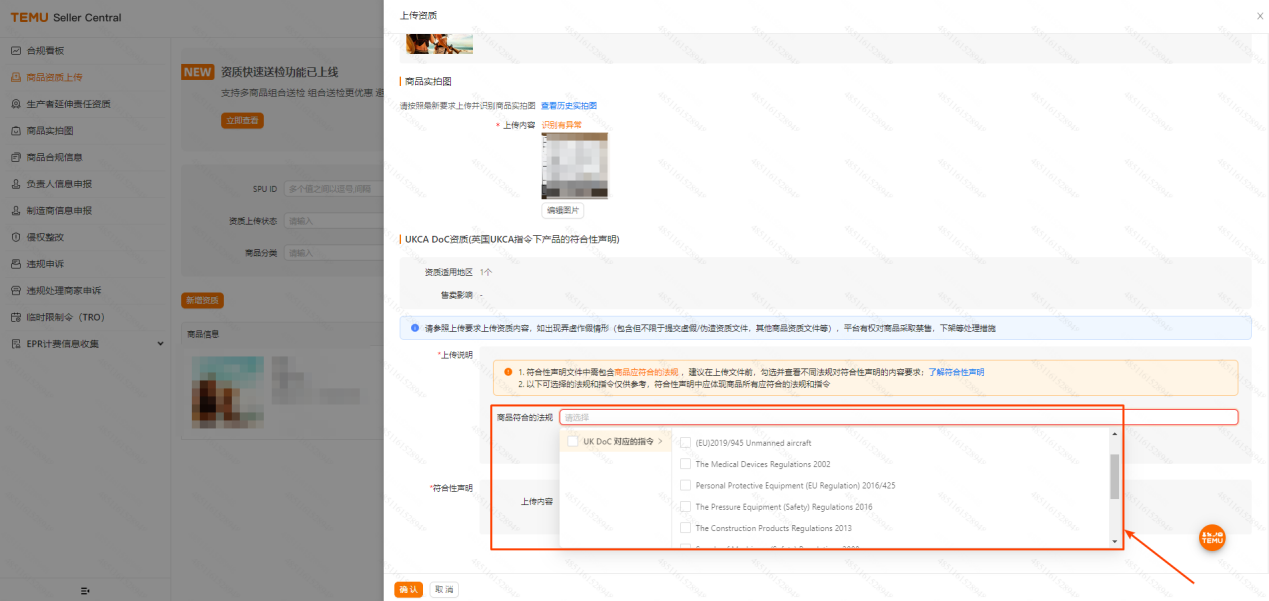
The uploaded DoC file should meet the requirements of the applicable regulations for the product. The following steps are for reference only.
Step 1: Check the regulations that the product complies with in the [Upload Instructions]
Please check the regulations applicable to the product according to the actual situation of the product.
Step 2: The system will display the information fields that the DoC file must cover at least according to the checked regulations.
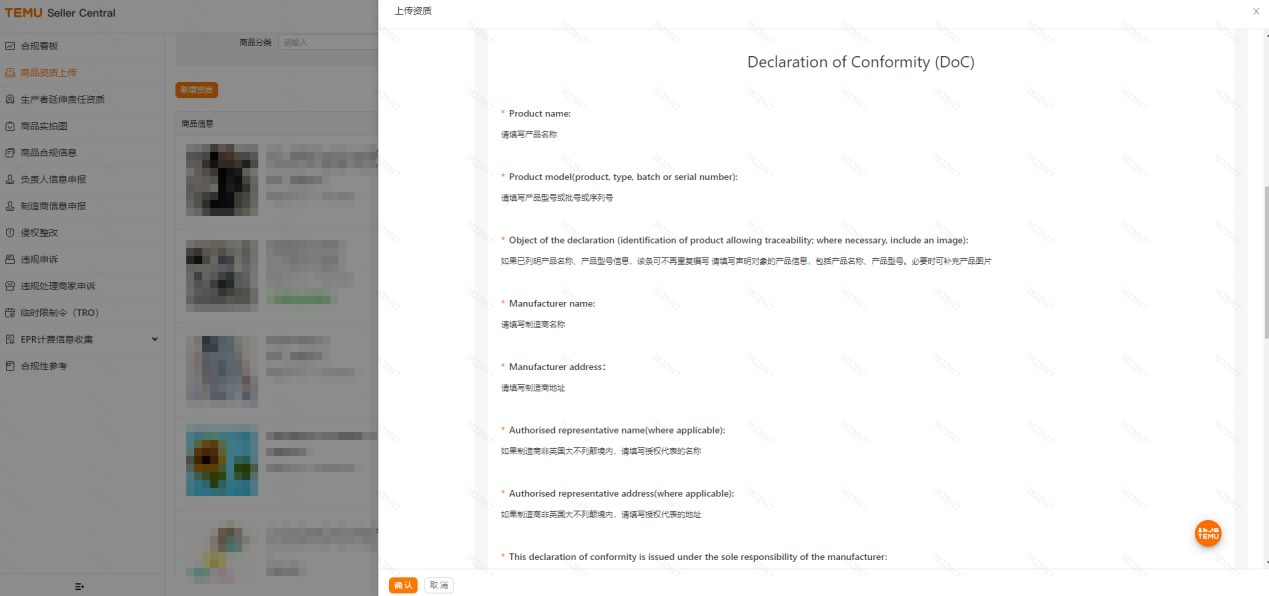
Step 3: Click [Copy the Above Content with One Click] to copy and paste the "information fields" (such as product name) and related content displayed by the system in step 2 into a blank Word document.
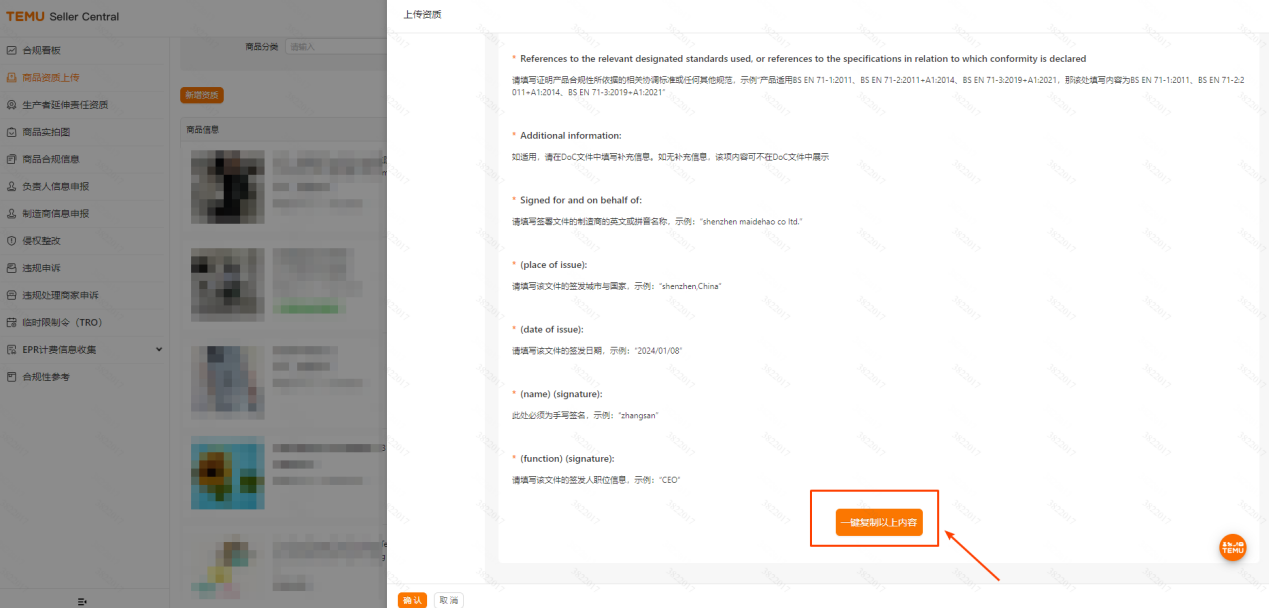
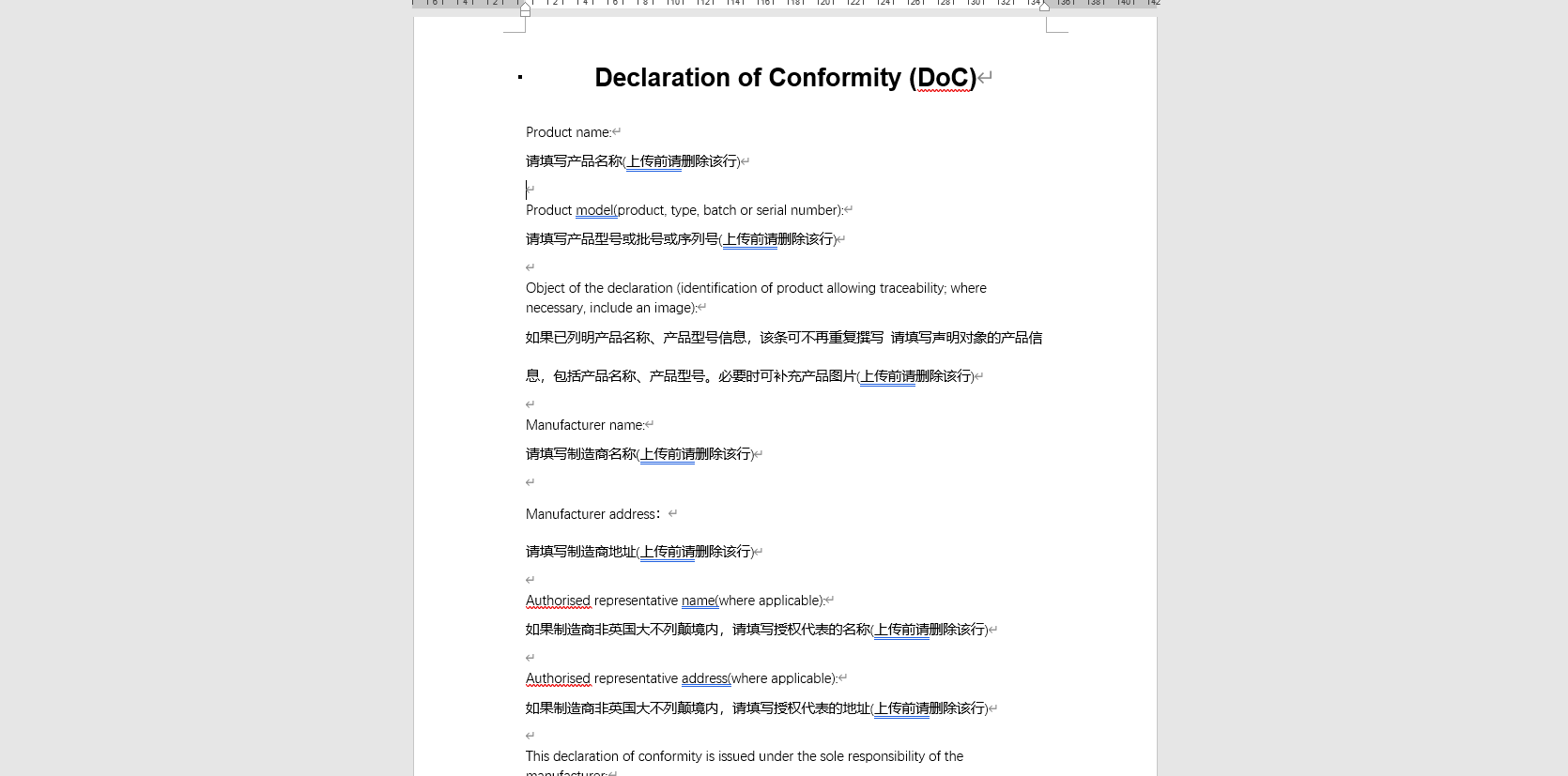
Step 4: Fill in the relevant content according to each English "information field" and Chinese prompt information.
1. Fill in the specific content related to each item of information according to the English "information field" and Chinese prompt information. After filling in, please delete the Chinese prompt information.
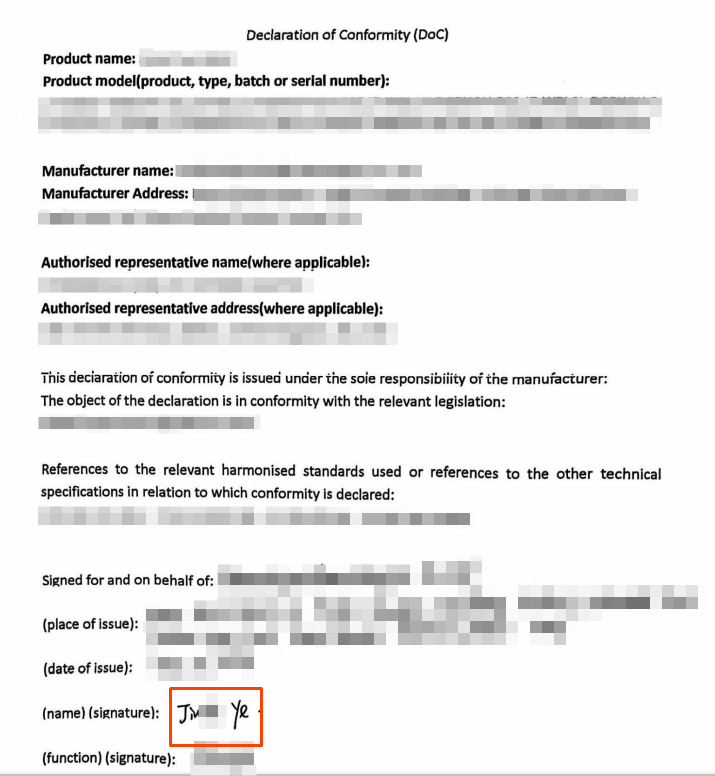
2. The signature at the end of the DoC file "(name) (signature)" must be ahandwritten signature. Drafting and signing the DoC means taking full responsibility for the product's compliance with applicable UK laws.
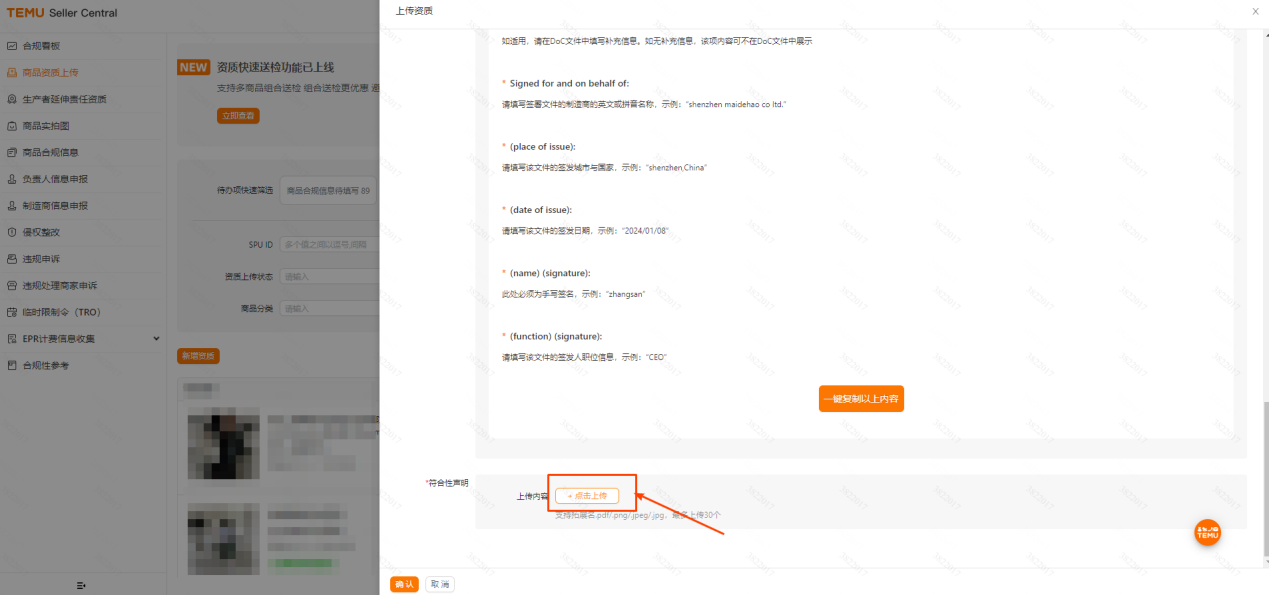
Step 5: After completing the DoC file through the above steps, click upload in the [Upload Content]
Note: The file format should be one of .pdf/.png/.jpeg/.jpg
Examples of completed DoC files are as follows (for reference only):
The above content is sourced from the Temu Seller's Classroom.