
 Amazon Global Store opening

MCF with Prime is a shipping method built on existing MCF that provides a Prime delivery experience for orders from brand D2C sites. It does not require a separate system or replace Buy with Prime; it uses the existing MCF fulfillment network.
It preserves the brand D2C site’s existing checkout page, payment methods, subscriptions, and customer service processes.
Verified and eligible Prime member orders can arrive within 1–2 calendar days¹.
Orders that fail Prime member verification still ship with standard MCF delivery times².

MCF with Prime and Buy with Prime (BwP) address different use cases. Under the same configuration, both services cannot be enabled at the same time. Sellers can choose one based on business needs.
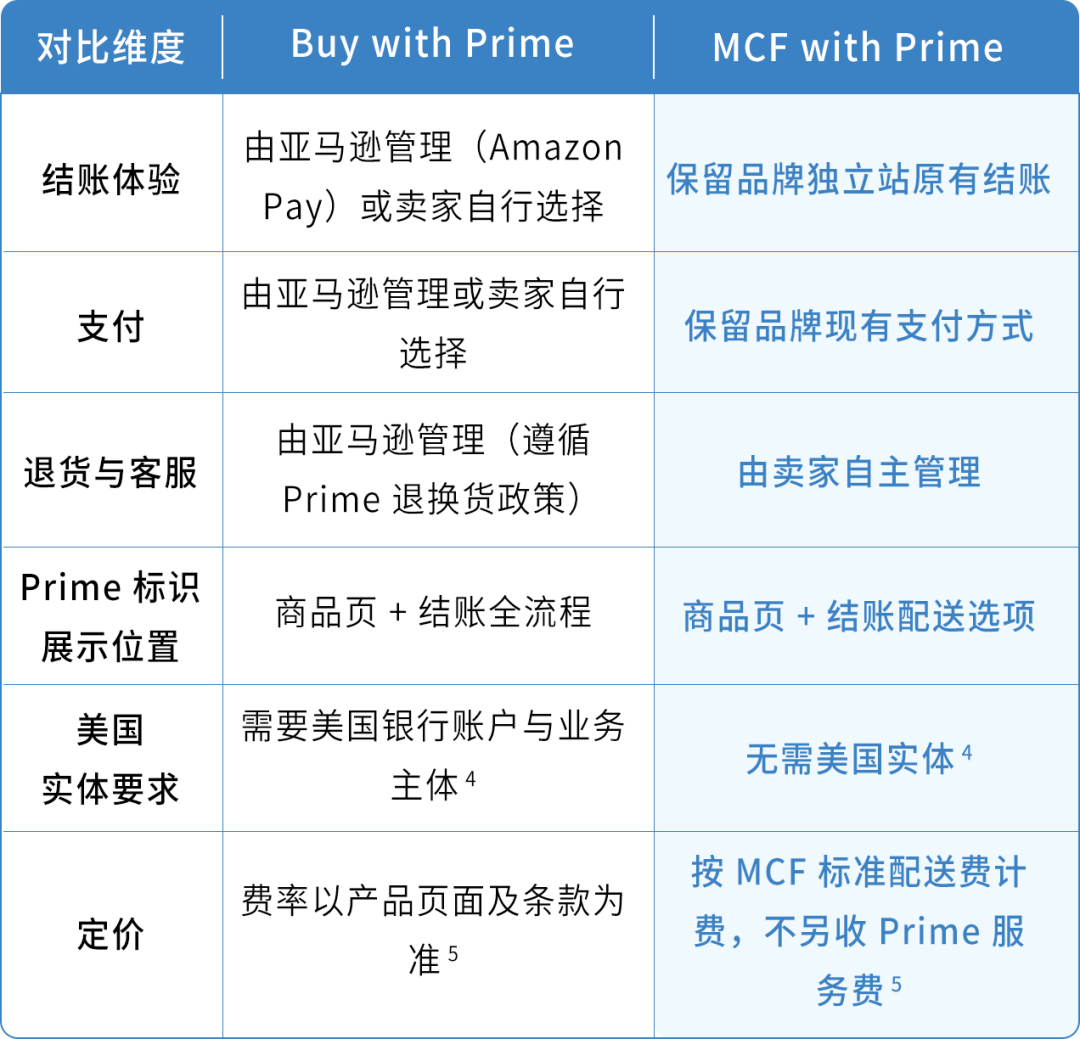
See footnotes ⁴ and ⁵ for details. Storage fees and other applicable fees still apply.
In short, MCF with Prime suits sellers who want to keep their existing D2C operations, while Buy with Prime suits sellers who want Amazon to manage checkout, payment, returns, and customer service. Eligibility is subject to the relevant product terms.

MCF with Prime supports the following integration paths. Availability and setup depend on your current integration method:
Shopify Multichannel Fulfillment app: Sellers already using the Shopify MCF app can start setup in about 10 minutes. Follow the page guide to enable MCF with Prime, set a free-shipping threshold, add the Prime delivery message card, and complete checkout testing.
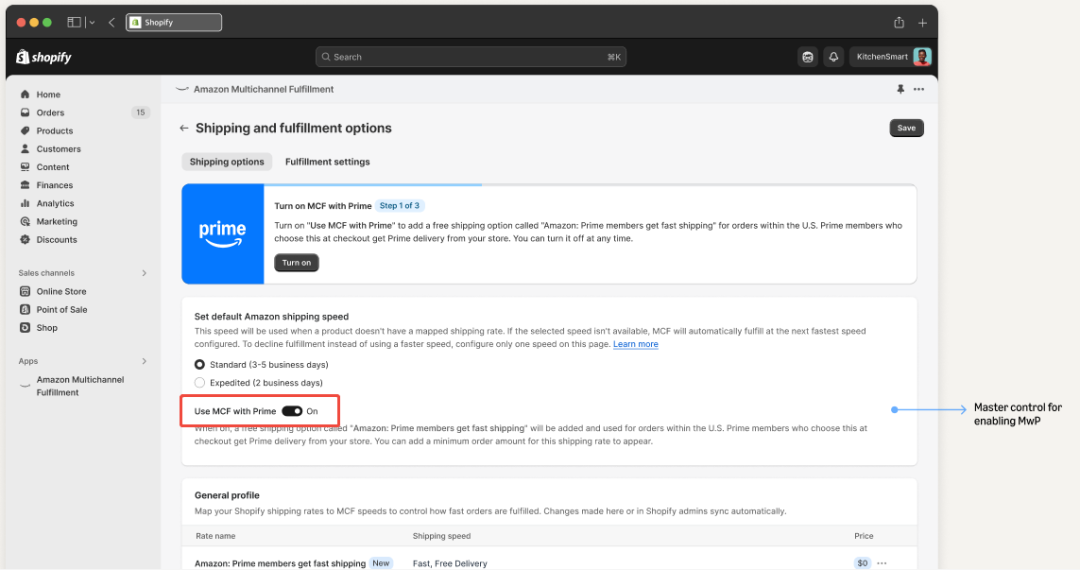
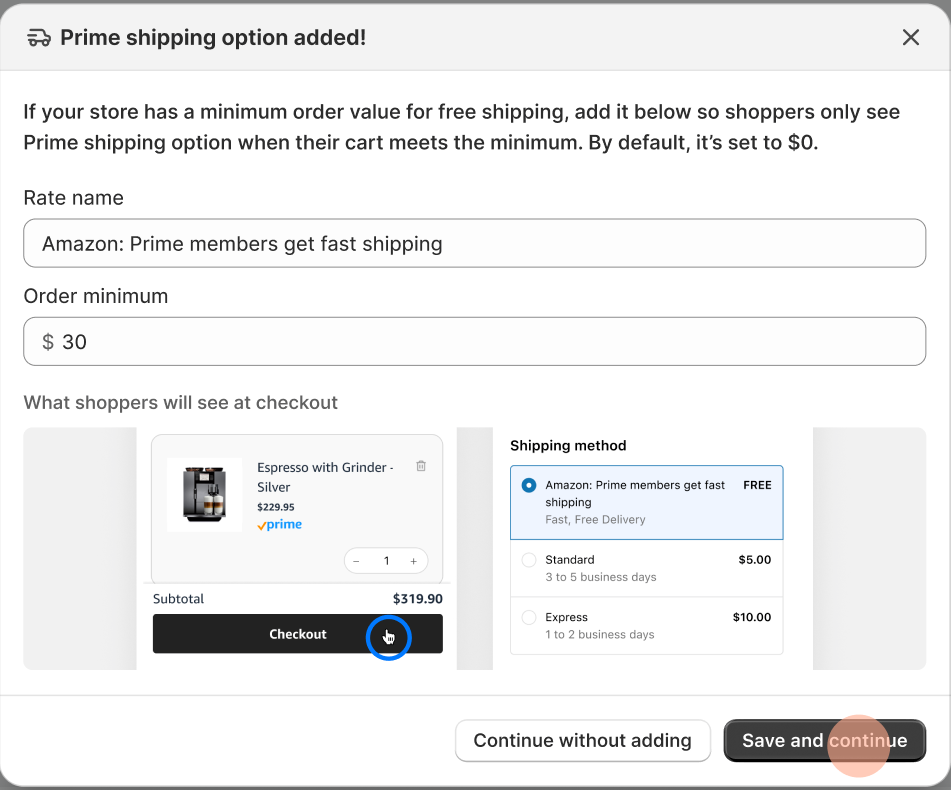
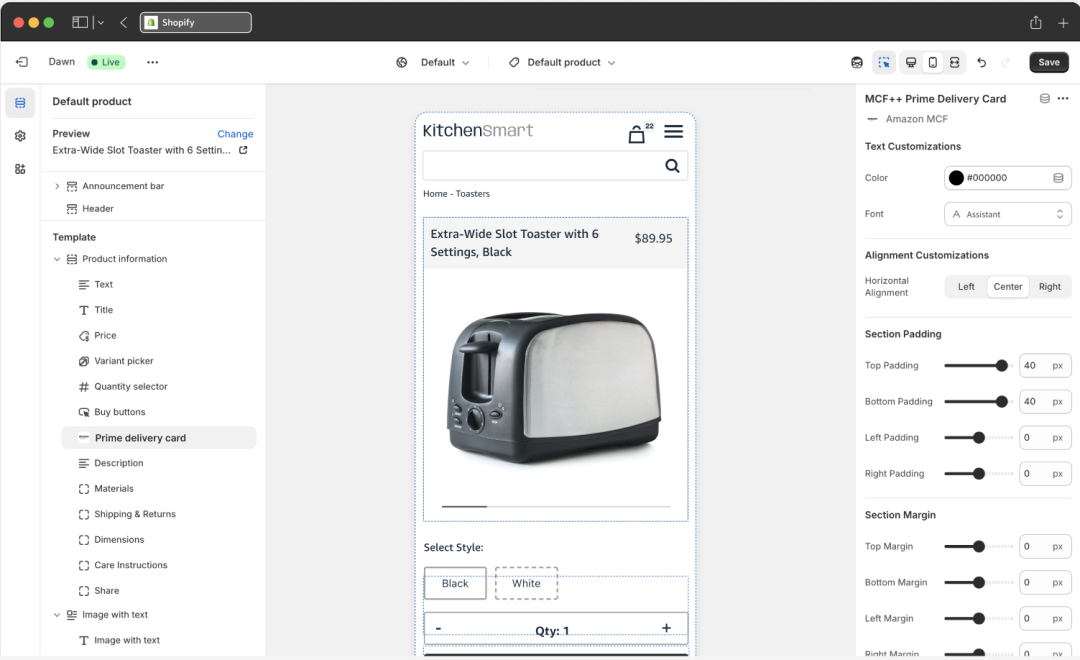
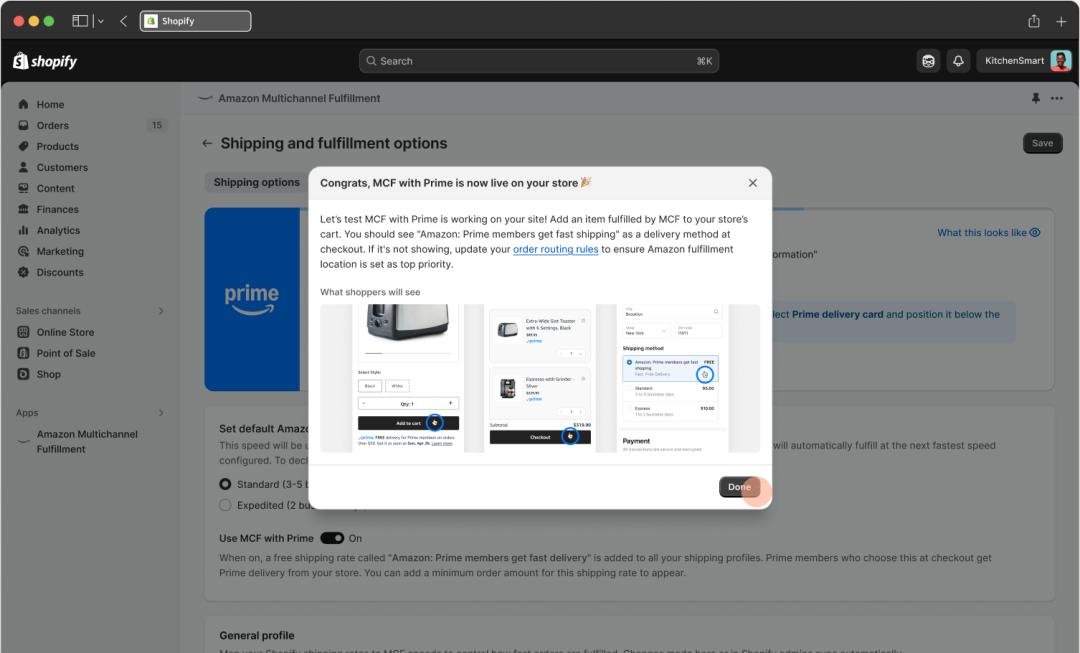 [Shopify seller setup example for MCF with Prime]
Third-party integration providers: Connect through providers that support MCF with Prime. Please confirm availability and setup with the provider.
SP-API: Sellers with development resources can integrate via SP-API. Contact your Amazon account manager to confirm requirements and setup.


When shoppers view a product page, they see a Prime delivery message card showing the Prime badge, estimated delivery date, and a “Learn more” link.
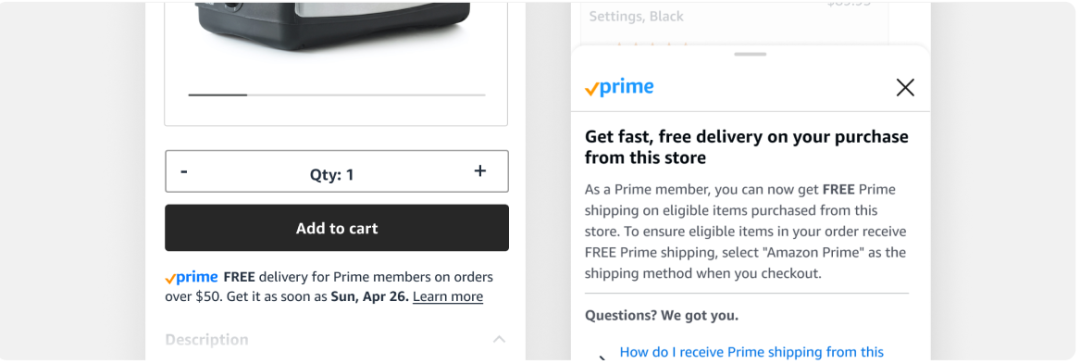
[Prime delivery message shoppers see on product page]

At checkout, shoppers can choose the “Amazon:Prime members get fast shipping” delivery option and continue using the brand D2C site’s existing checkout process, without logging into Amazon or leaving the page.
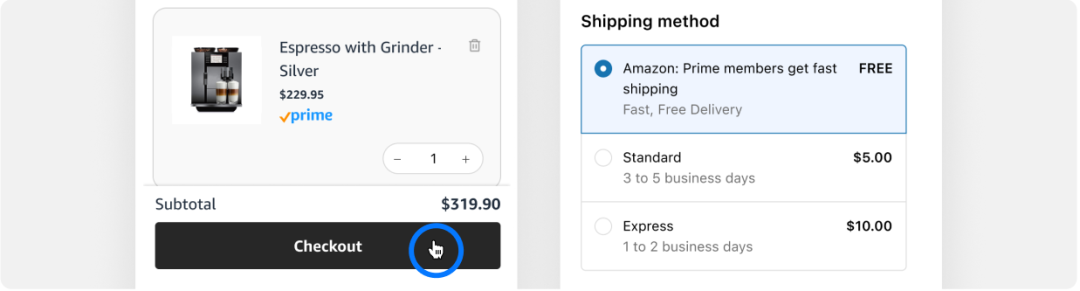
[Shopper chooses Prime delivery at checkout]

After an order is placed, Amazon verifies Prime membership based on order information.
Verified and eligible orders → delivered within 1–2 calendar days¹
Verification failed → shipped with standard MCF delivery times; the first order can be upgraded to Prime delivery speed for free²
These paths use existing MCF/FBA inventory; no separate inventory pool is needed.


Yes. Sellers registered in China can also use MCF with Prime. As a shipping method, it does not involve payment processing, so there is no restriction on the seller’s registration location. Sellers must still use MCF, hold U.S. FBA inventory, operate a U.S.-facing brand D2C site, and meet Prime free-shipping and integration requirements. Eligibility is subject to the relevant product terms and review.

Yes. Shopify is not the only integration path. Existing MCF sellers can also connect through third-party providers that support MCF with Prime or through SP-API. Availability, setup, and timing may vary; contact the relevant provider or your Amazon account manager.

MCF with Prime is billed at standard MCF fulfillment rates, with no extra Prime service fee. Storage fees and other applicable fees still apply. See the Amazon Global Selling MCF page (gs.amazon.cn/mcf) for MCF rates.

In Shopify orders, the shipping method shows as “Amazon:Prime members get fast shipping.” The IsPrime field in Seller Central order reports shows True.

No conflict. The Prime delivery option appears only when the cart amount reaches your set threshold.

Shoppers check out normally. Prime-eligible items ship under Prime delivery standards; other items ship under standard MCF delivery.

If you already use MCF and operate a U.S.-facing brand D2C site, assess whether MCF with Prime can be enabled based on your current integration method.
Shopify sellers: Log in to the Multichannel Fulfillment app and follow the page guide to complete setup.
Other sellers: Contact a third-party provider that supports MCF with Prime to confirm available integration options.
Data sources:
¹ 1–2 calendar day delivery applies to verified and eligible Prime member orders.
² Orders that fail Prime member verification ship with standard MCF delivery times. A shopper’s first order can be upgraded to Prime delivery speed for free.
³ Page screenshots are for illustration only. The free-shipping threshold is set by the seller; actual delivery options, fees, and estimated delivery times are as shown on the page.
⁴ Buy with Prime uses Amazon Pay and requires a U.S. bank account and business entity. MCF with Prime does not involve payment processing and is not restricted by seller registration location, but still requires MCF, U.S. FBA inventory, and currently supported integration methods.
⁵ Buy with Prime rates are subject to its product page and terms, and may vary by integration path and business conditions. MCF with Prime is billed at standard MCF fulfillment rates with no extra Prime service fee. Storage fees and other applicable fees still apply.
If you have questions about Amazon, contact the official client development manager via the link (https://wsurl.cc/wg4chn) or by scanning the QR code: