
 Cross-border E-commerce Excellent Craftsman School
Amazon's backend has received another update—an upgrade to the variation upload process. Sellers can now add new products or existing SKUs directly to an existing variation family on the Add a Product page, without relying on the old Variation Wizard.
At the same time, Amazon stated:The old Variation Wizard will be permanently discontinued by the end of August 2026.
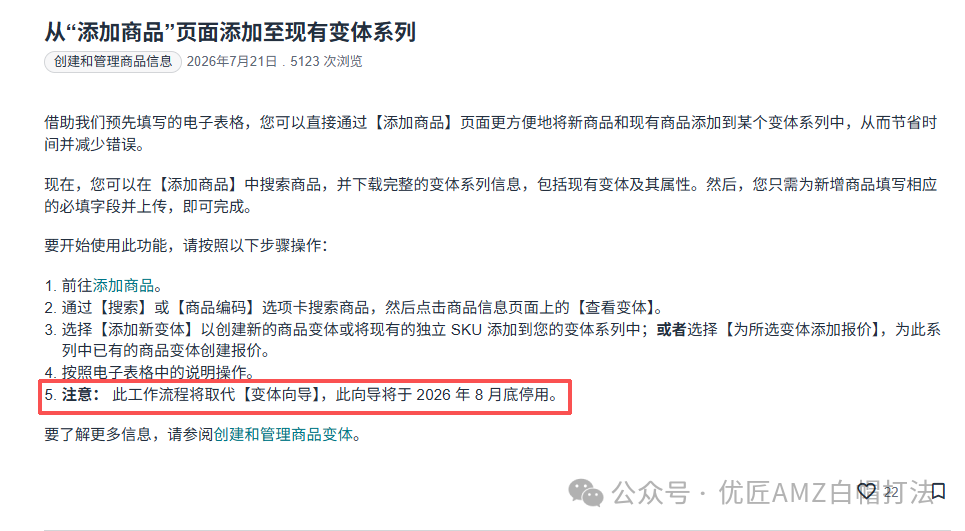
Image source: Amazon
From now on, whether uploading new listings, creating parent-child variations, expanding child SKUs, or maintaining variation relationships, everything will be done on the new Add a Product page.
For sellers with multiple variations, the biggest benefit of this update is: you can now handle most product uploads and variation maintenance on a single page, making operations simpler and more convenient.
In the past, after uploading a product, if sellers needed to add new variations like colors or sizes, they would have to go into the Variation Wizard or download a template to make changes. The entire process involved multiple pages and steps, which was not only cumbersome but also prone to errors.
During uploading, product attributes, images, prices, inventory, and variation relationships were all managed on one page. A slight oversight by a new operator could lead to incorrect parent-child relationships, variation themes, or product attributes, causing upload failures and requiring troubleshooting and resubmission.
This was especially pronounced for clothing and home products. A parent listing often has dozens or even hundreds of child SKUs. Adding new colors or sizes repeatedly required reorganizing and maintaining variation data, which was time-consuming and inefficient.
Additionally, the old download templates were generic blank templates where sellers had to manually fill in parent product information, existing SKUs, and variation relationships. If a single field was filled out incorrectly, or if the SKU, variation theme, or product attributes did not meet requirements, the entire data batch could fail to upload, making troubleshooting time-consuming.
So what changes does this update bring for sellers?
1. When uploading new products, you can directly create parent-child variations
Previously, to upload a multi-variant product, you usually had to create the product first and then add child items separately.
Now, when creating a product, simply check this product has variations, and the system will automatically enter the variation setup process. This means that multiple SKUs like colors and sizes can be set up at the time of upload, including product title, selling price, delivery channel, etc., eliminating the need for later adjustments.
For sellers with multi-variant products, the process is simpler and more efficient.
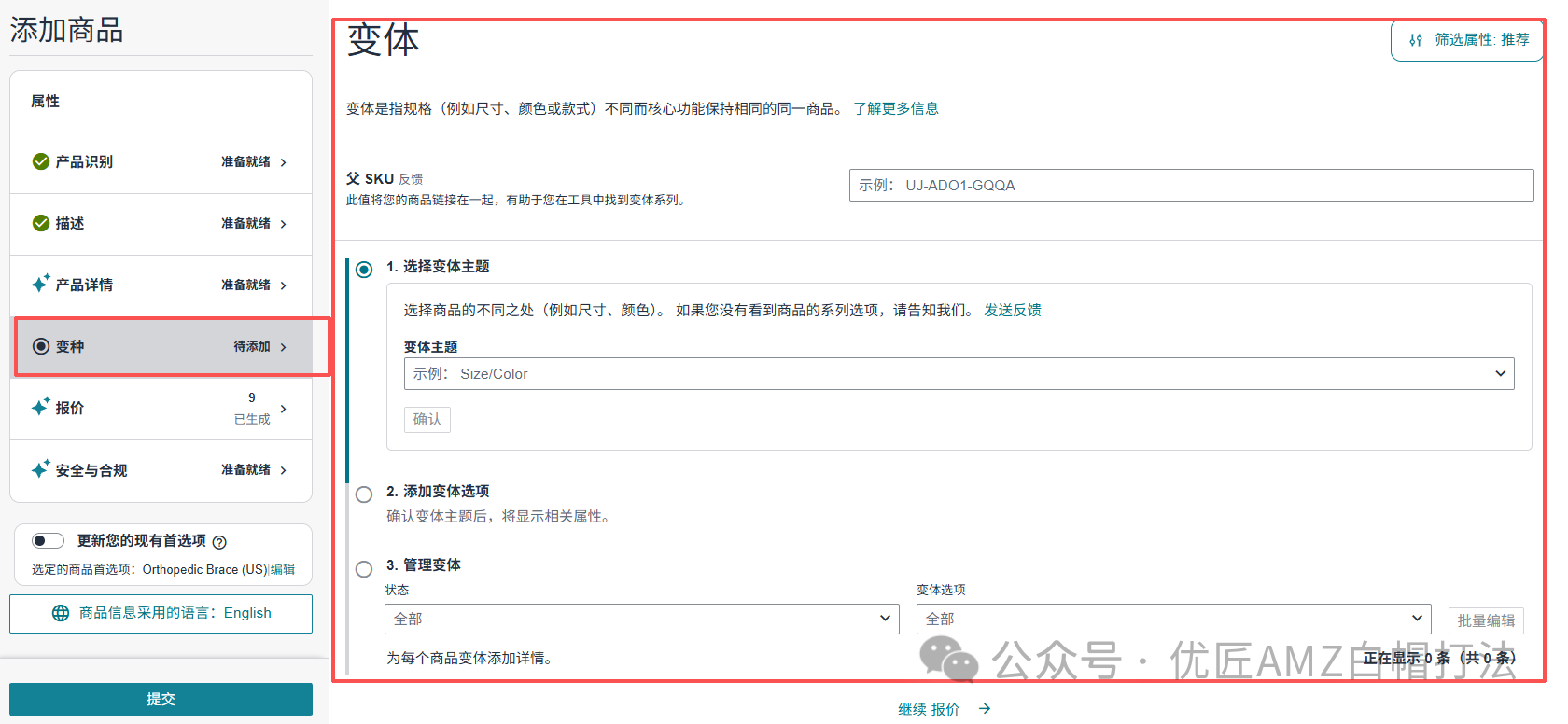
Image source: Amazon
2. Batch editing
Sellers can modify information for multiple SKUs at once, such as product name, SKU code, price, and other common fields.
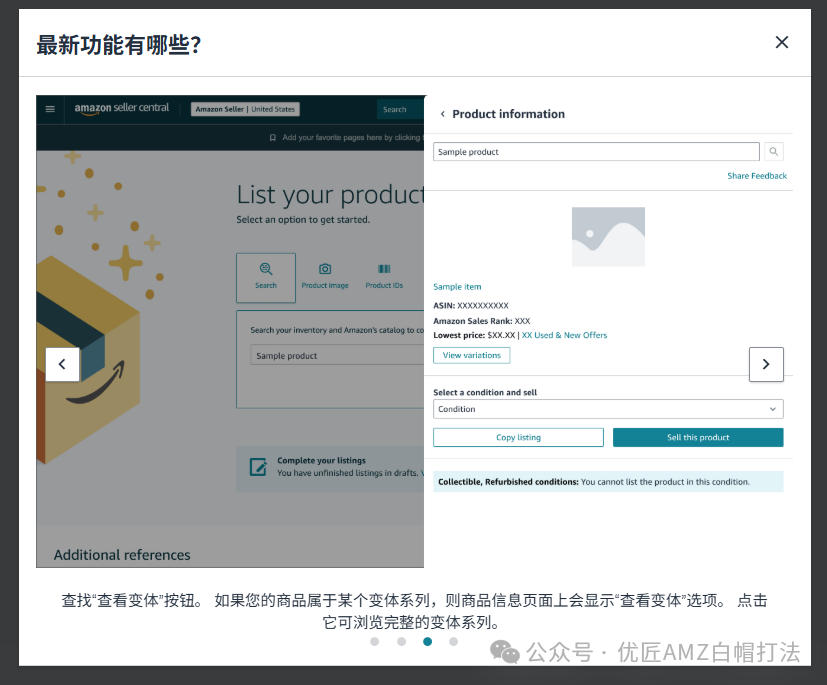
Image source: Amazon
If a parent listing has dozens or even hundreds of child SKUs, this feature can reduce repetitive operations and improve maintenance efficiency.
3. Upgraded upload template
Previously, when expanding variations, sellers could usually only download a blank generic template and manually fill in parent-child relationships and product information.
The new version generates a pre-filled template that already includes the current parent product, existing SKUs, and variation relationships. Sellers only need to add the information for new SKUs.
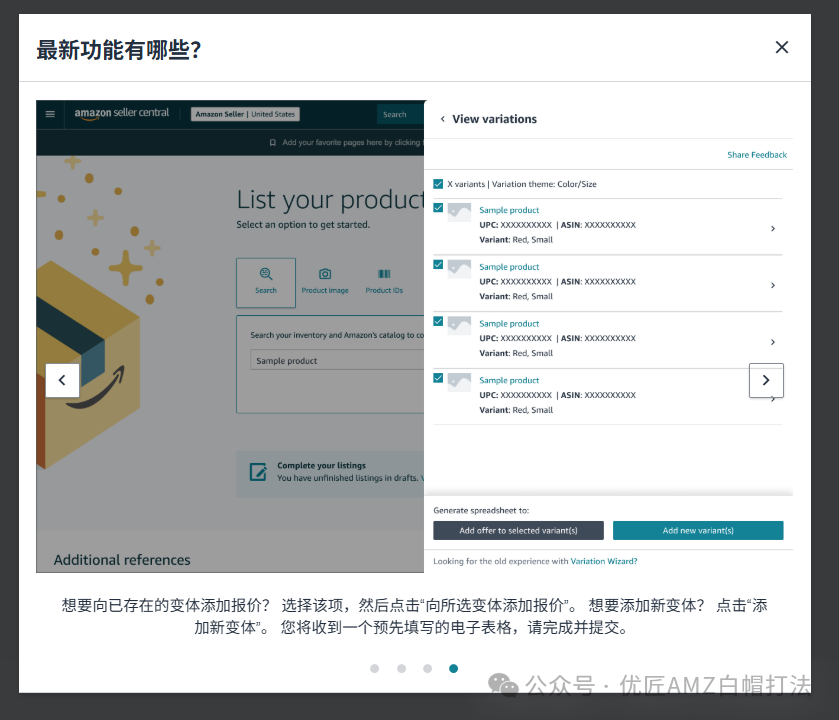
Image source: Amazon
Compared to before, there is less work to fill out, and it's less prone to upload failures due to incorrect template information.
Currently, the new upload tool is being gradually rolled out. If you see a blue prompt on the Add a Product page, it means your store has been granted the new feature.
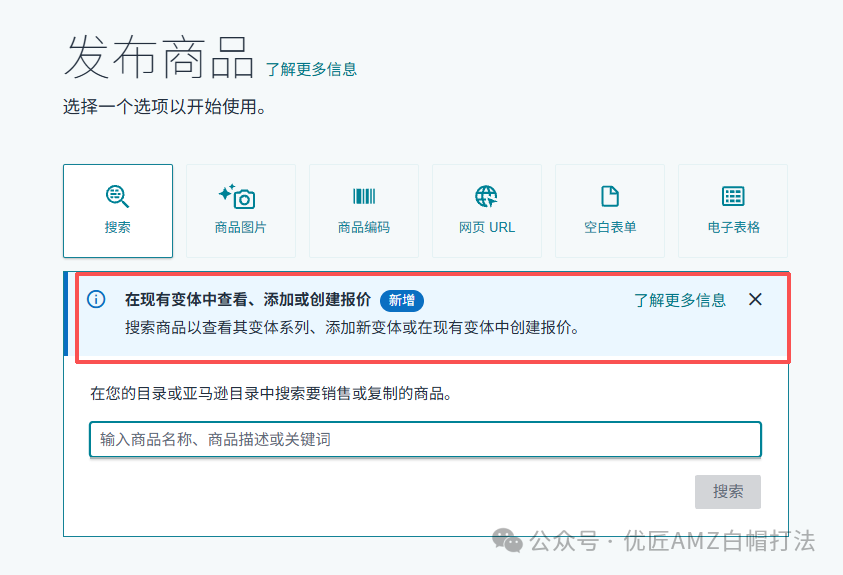
Image source: Amazon
What should sellers pay attention to? Although the new version is more convenient, there are still a few points to note:
First, it is recommended to re-download the template each time you add new variations. The new version provides a real-time template that syncs your store’s latest parent-child variation data; it is not advisable to keep using old templates saved previously.
Second, check variation information before uploading. Make sure the parent product is correct, the variation theme is consistent, SKUs are not duplicated, and attributes like color and size are fully filled in, to avoid upload failures due to information errors.
Third, sellers should familiarise themselves with the new process as soon as possible. Since the old Variation Wizard will be officially discontinued by the end of August, it is recommended to try the new version early to avoid impacting listing efficiency later.