
 Amazon Global Store opening

After launching the new “New Seller Onboarding Hall” registration page, Amazon has upgraded the registration form. Now you only need to upload your business license and ID, and the system will automatically recognize and fill in company and seller personal information, reducing manual entry.
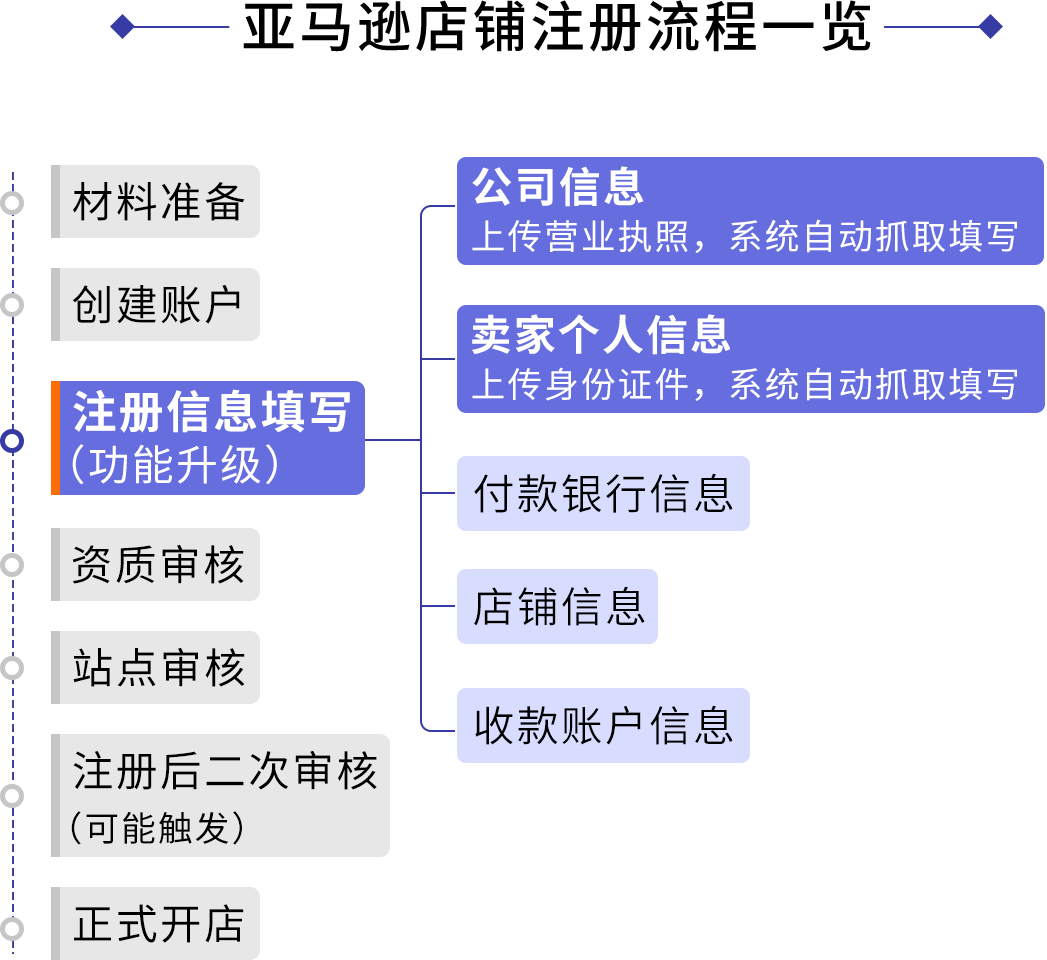
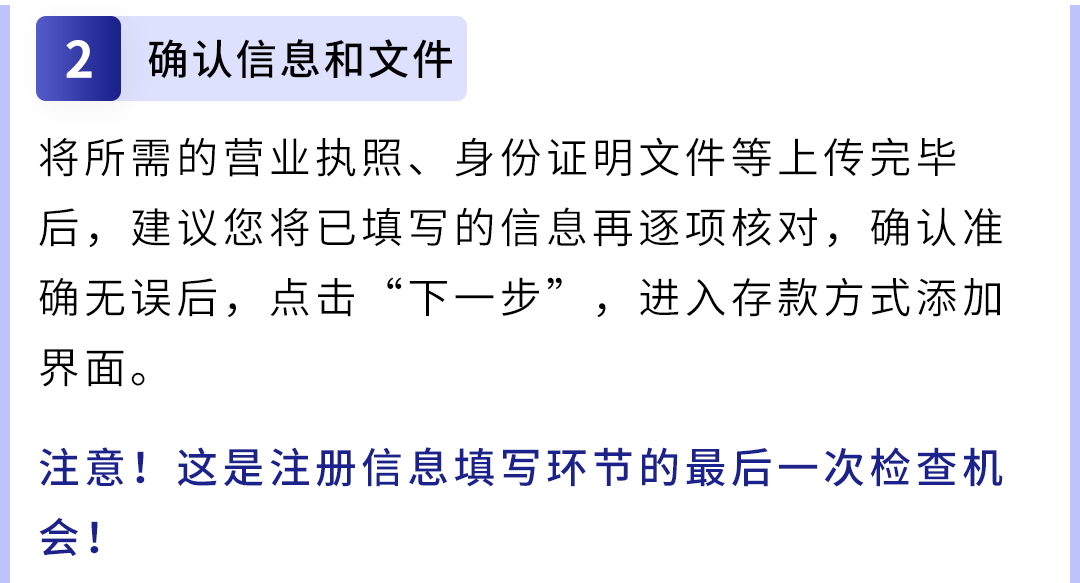
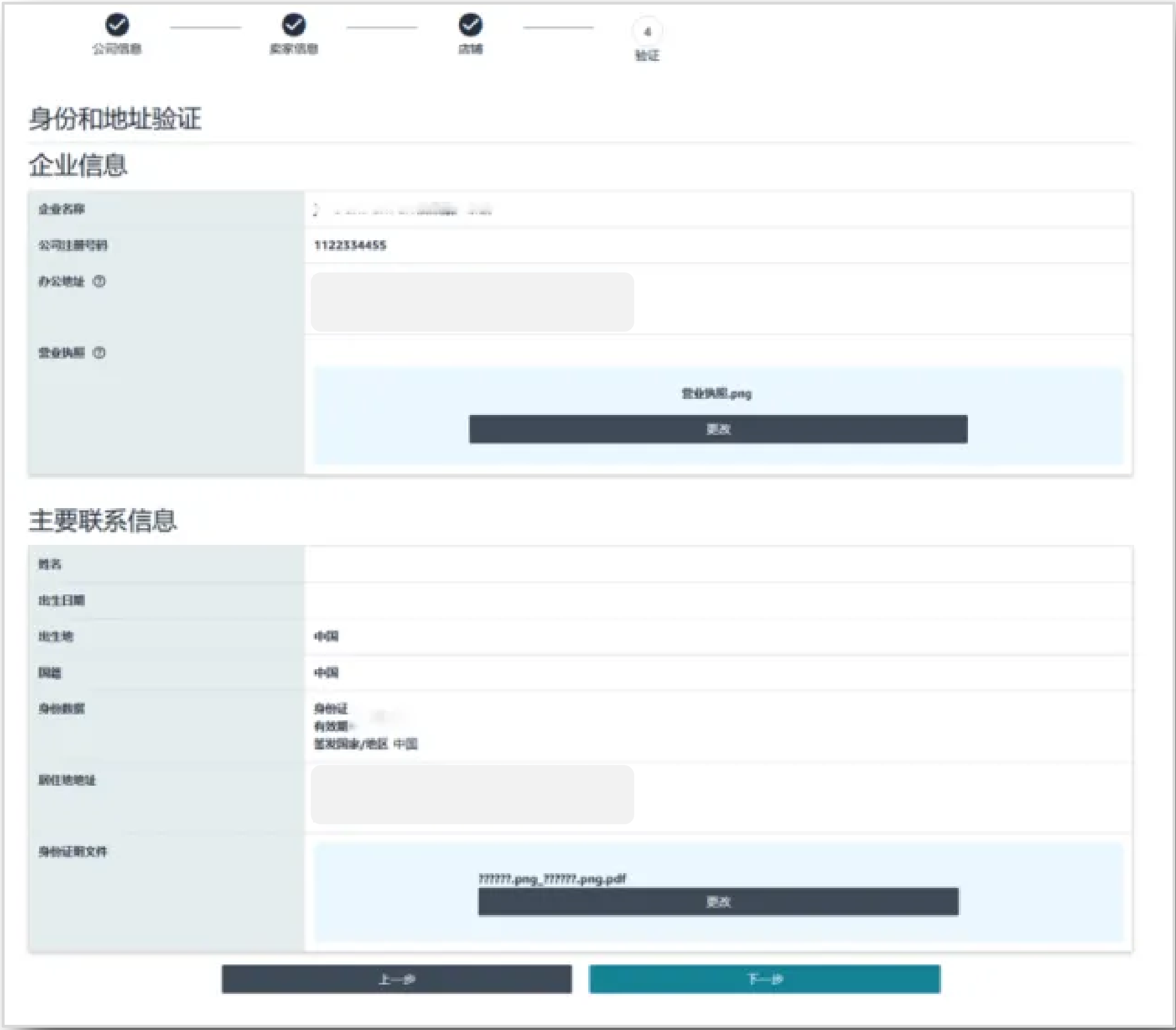
Registration information is a key step. After auto-fill, please verify carefully.


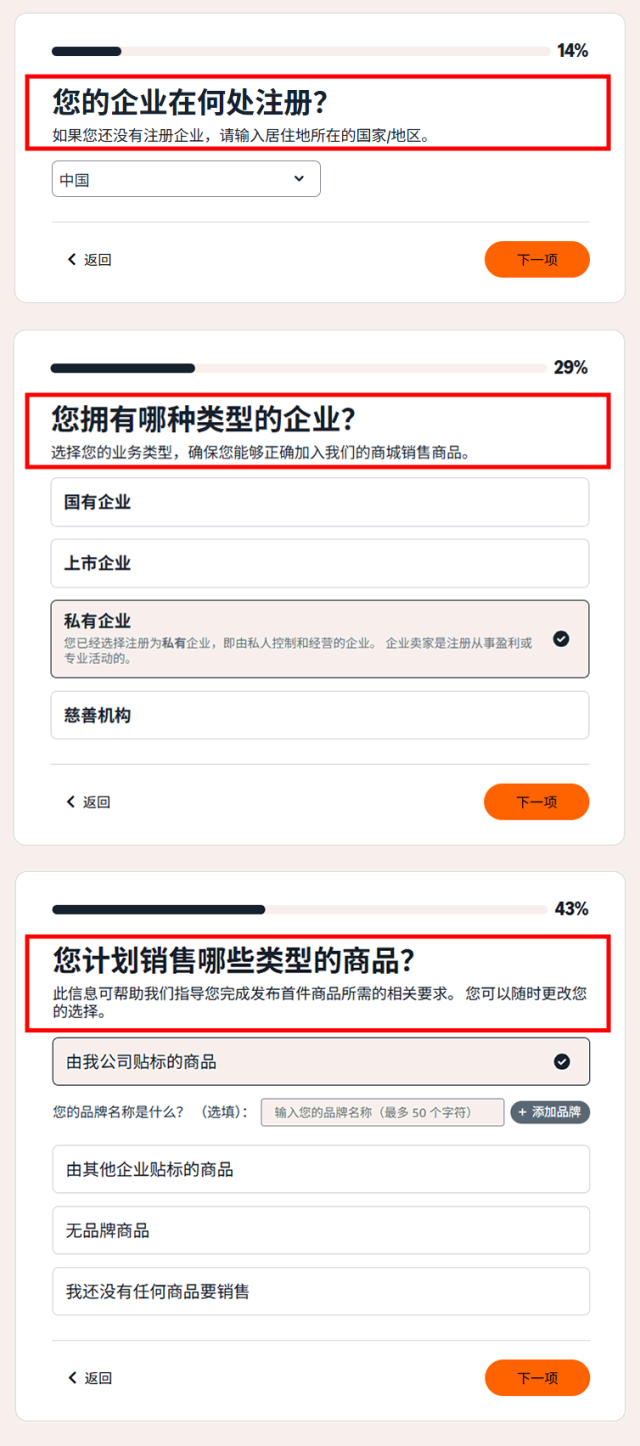
On the registration page, answer a few questions about company location, business type and products to complete initial setup.

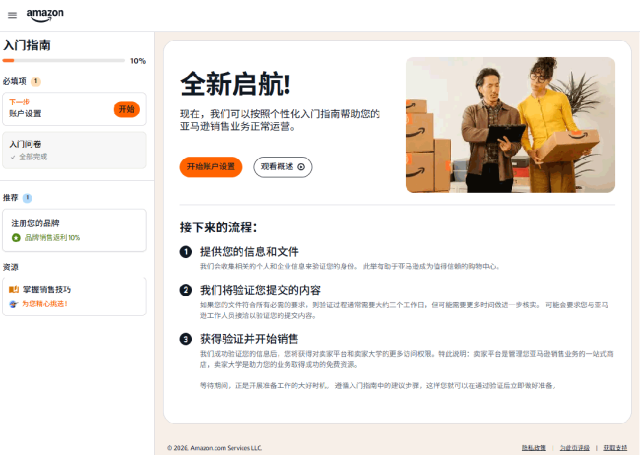
After that, you will enter the “New Seller Onboarding Hall.” Click “Start account setup,” confirm required items, then click “Continue” to enter information entry.
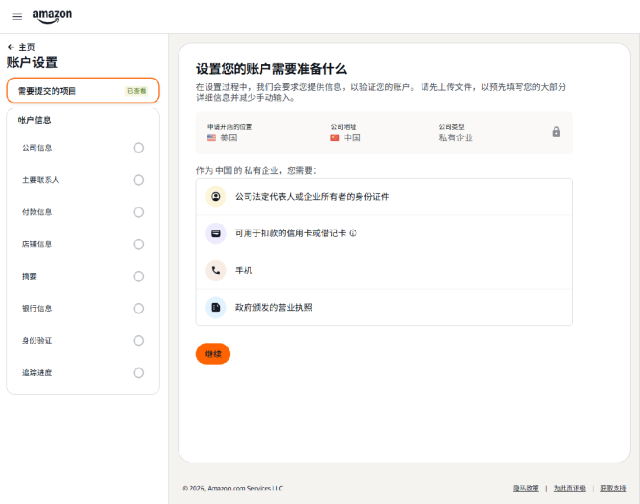
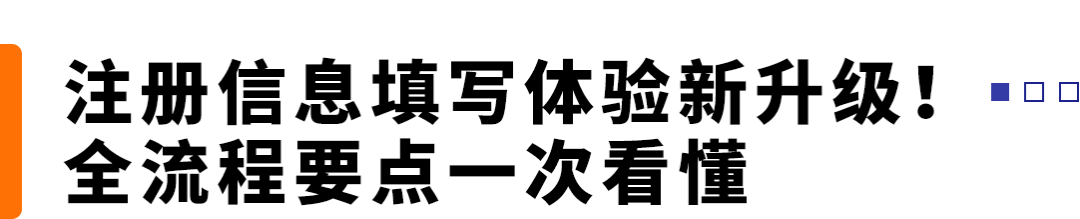

Upload your company information file (e.g., business license) and click “Continue.” The system can recognize Chinese content on the license and auto-fill the fields. This feature is available on Amazon US, Brazil, and Europe stores, with more sites coming soon.
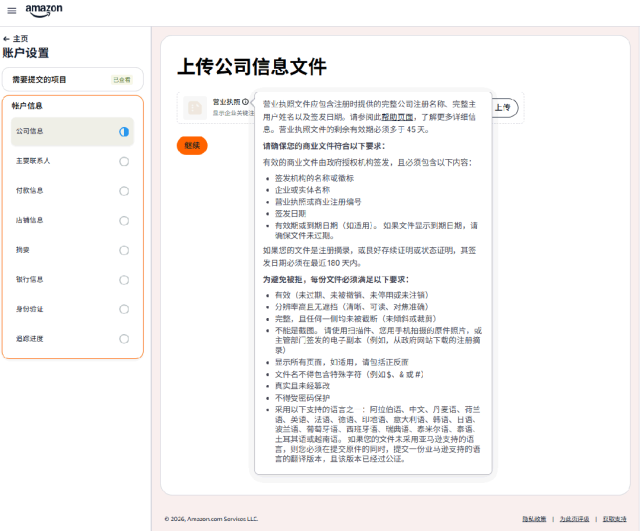
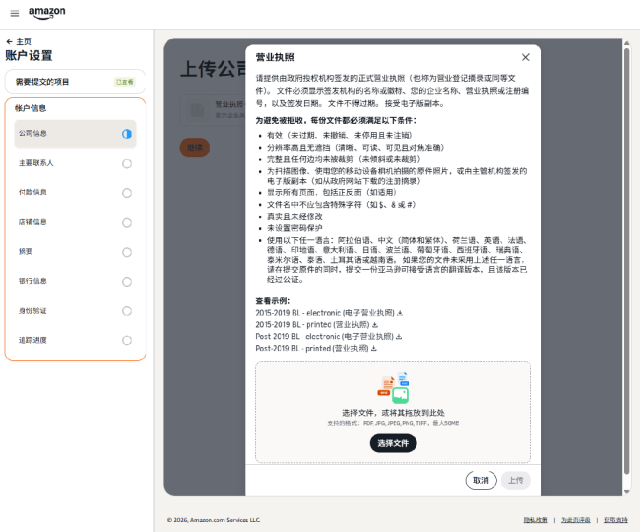
Business license requirements: Provide a color scan or photo of a valid business document from mainland China or Hong Kong. Amazon currently does not accept representative offices, branches, or rural credit cooperatives.
Mainland China: business license (electronic accepted if only electronic issued). Hong Kong: Business Registration Certificate with full registered business name, full name of main contact/beneficial owner (BO), and issue date. If owner name is not shown, merge with latest annual return and articles of association into one file.
Ensure the company is active and the certificate expires more than 45 days from now.
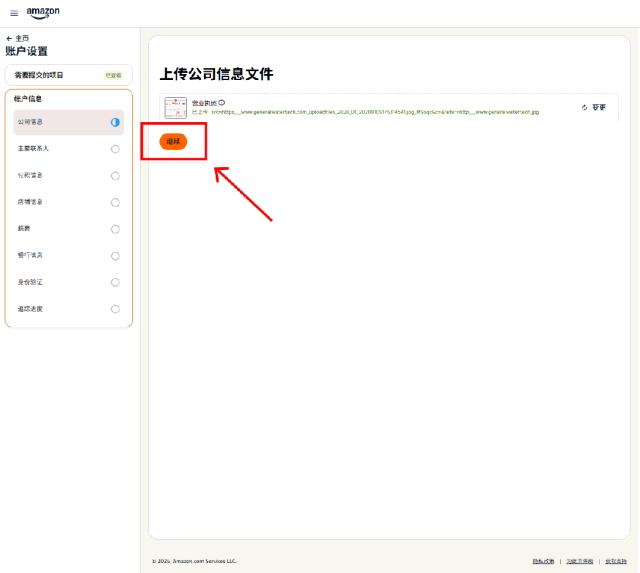
If the uploaded file format is invalid or expired, the system will prompt you to re-upload a correct file.
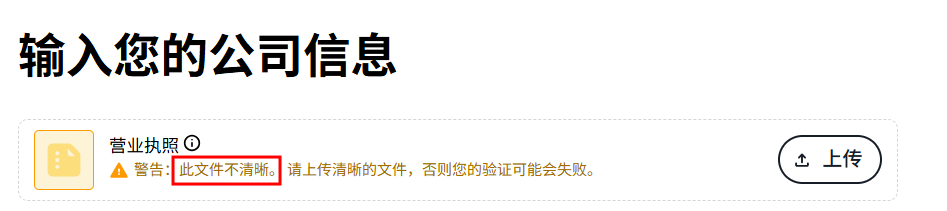

After upload, carefully review auto-filled “blue” fields and manually complete “white” fields.
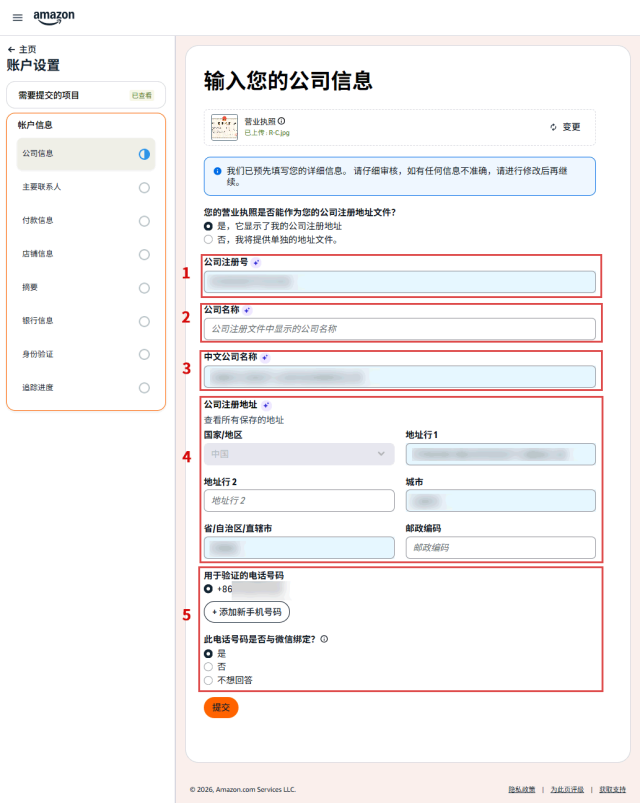

Company information must match your business document. Mainland China: Unified Social Credit Code/registration number. Hong Kong: first 8 digits of Business Registration Certificate number.

Enter seller name manually in pinyin/English.

Enter the Chinese company name as on the license; if your Hong Kong company has no Chinese name, translate it. Use half-width symbols.

Mainland China sellers must enter the complete registered address or actual operating address in Chinese, detailed to room number. Non-mainland China companies may use English or pinyin.
Address notes: if different from license, provide a utility bill from the last 90 days; use an address that can receive SF Express and provide such bills; avoid Roman numerals; use half-width symbols. If company name is too long, use lowercase pinyin without spaces; if over 50 characters, keep the main part and use abbreviations like co.ltd. You cannot change this after address verification.

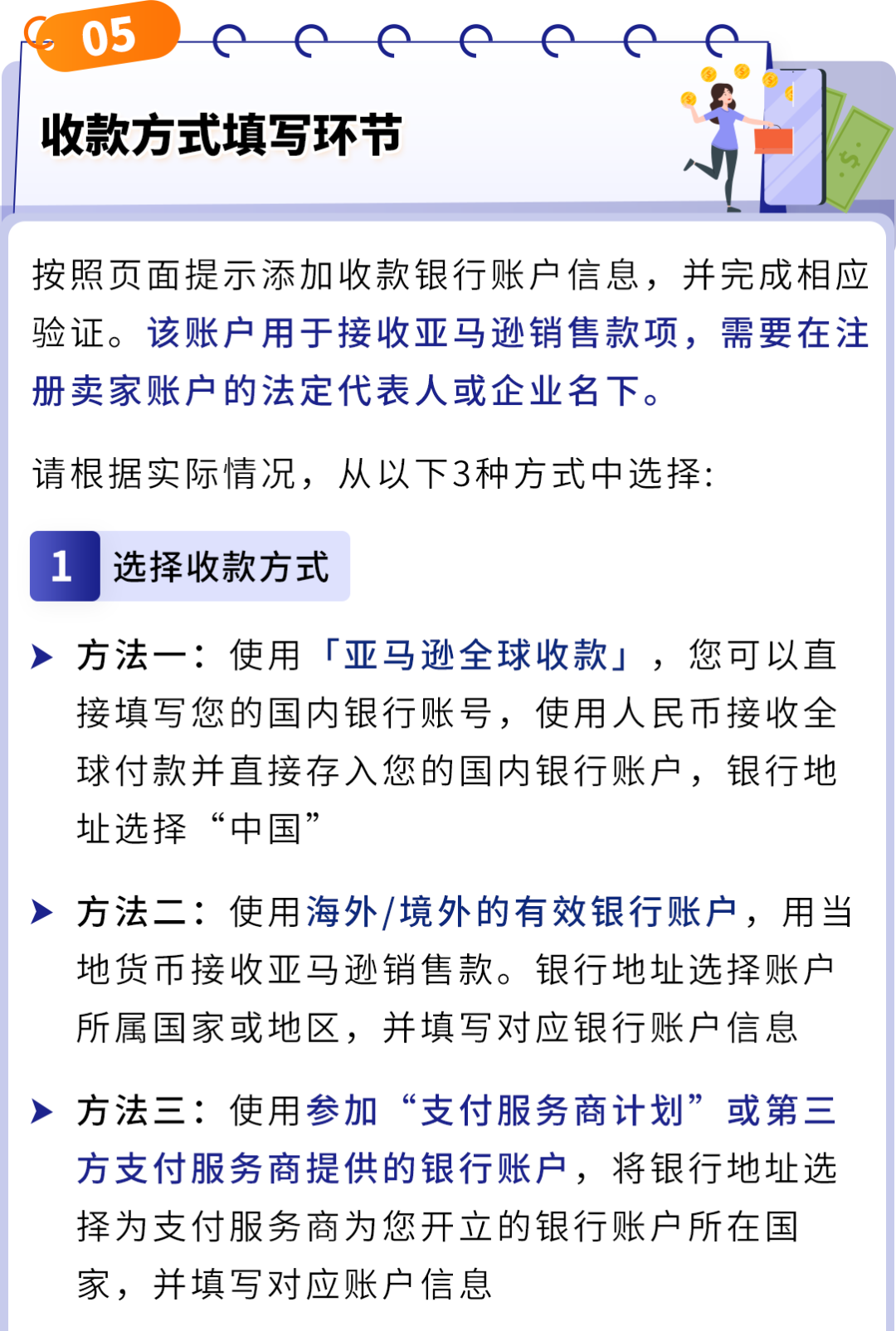
For phone number, select country/region. Mainland China sellers choose “China +86” and confirm if the number is bound to WeChat. Select yes, no (enter actual bound number), or “I don’t want to answer.”
PIN verification supports SMS or phone. SMS: enter the code. Phone: answer the call and input the 4-digit code. If verification fails 3 times, wait 1 hour before retrying.
After file upload and phone/SMS verification, click “Continue.”
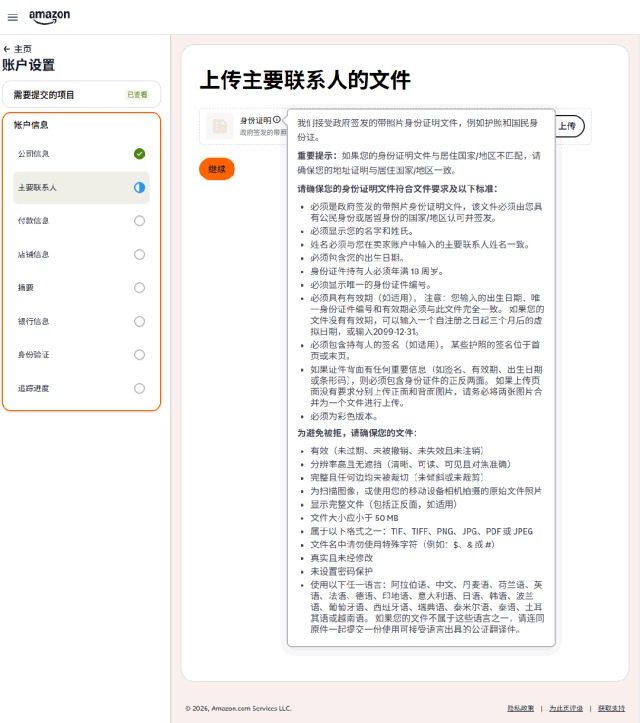
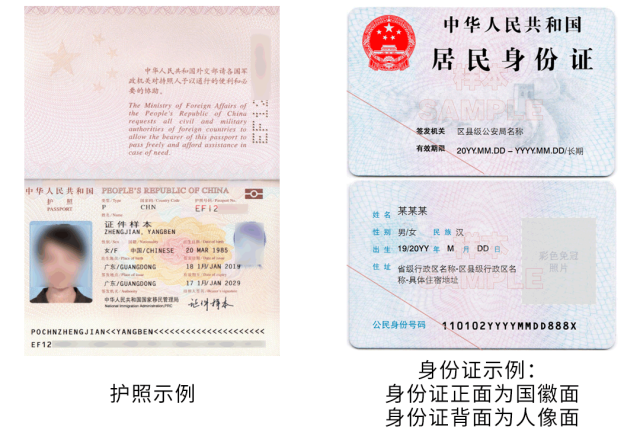
On the personal information page, upload your ID (passport or resident ID) and click “Continue.” Personal information will be automatically read and filled. This feature is currently available on Amazon US, with more sites coming.
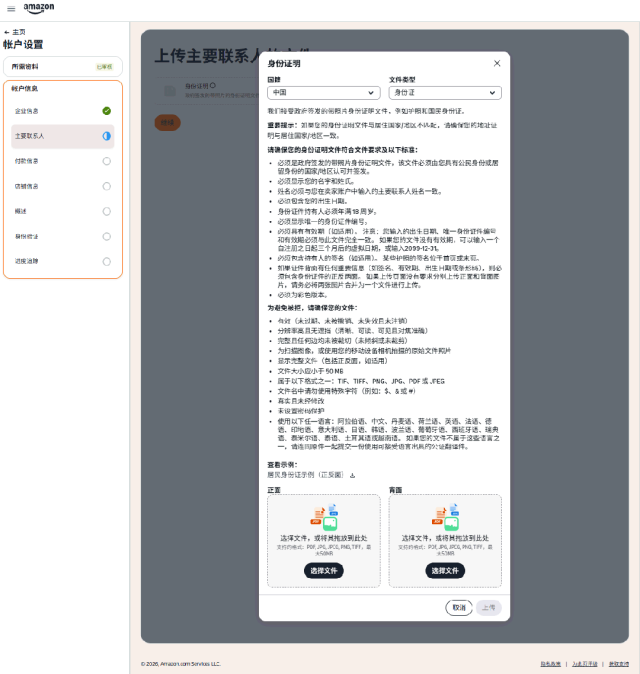
ID requirements: Provide a color photo or scan of the legal representative’s ID/passport. No incomplete, black-and-white, screenshot, or edited images. Accepted formats: TIFF, PNG, JPG, PDF, JPEG. Filename must not contain special characters like $, & or #.
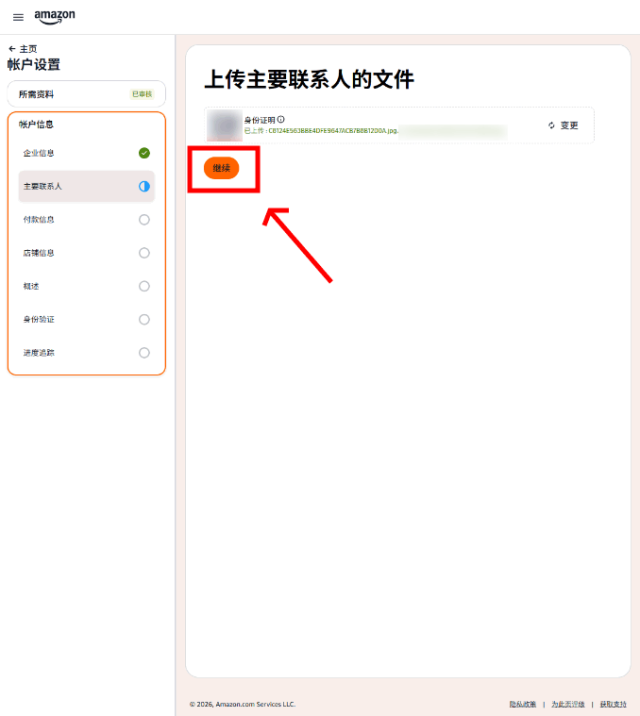
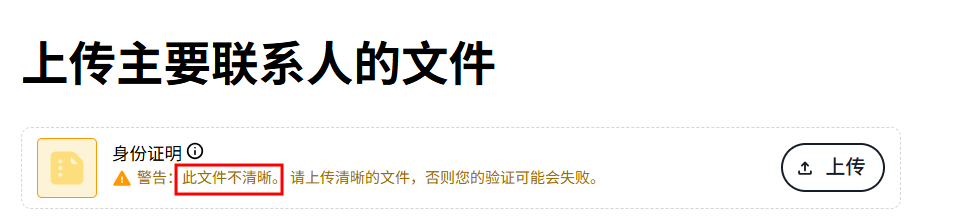
After uploading ID, click “Continue.” If invalid or expired, re-upload as prompted.
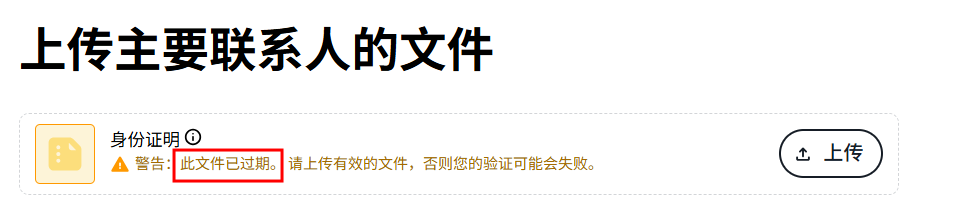

After auto-fill, review blue fields and complete white fields.
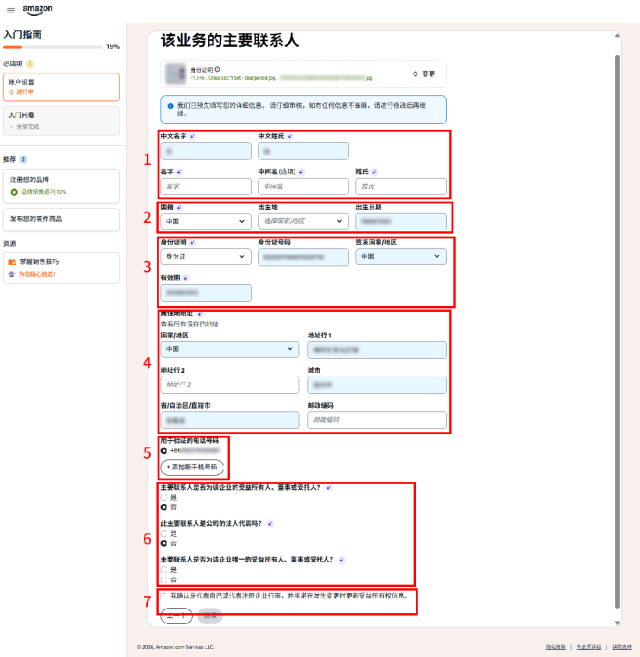

Name must match your ID. For Chinese names, do not fill middle name. Example: Wang Xiaoer — First name: Xiaoer, Middle name: blank, Last name: Wang.

Select “China” for mainland sellers or “Hong Kong” for HK sellers, then birthplace, birth date, ID type, issuing country/region.

Provide the legal representative’s valid ID/passport. Do not upload expired documents. For long-term valid IDs, choose the farthest date allowed.

The system auto-fills residential address from the ID (passport has no address; enter manually). You may edit it. It should be the legal representative’s real residential address that can later provide utility/bank bills; it may differ from the ID address.

If the legal representative’s mobile number differs, click “Add new phone number” and verify it by SMS or phone.

Select according to actual situation. Beneficiary: a natural person or company that directly/indirectly owns 25% or more shares, has decision-making power, or otherwise exercises management control. Number must match reality; info may be verified.

Be sure to check this box to proceed.
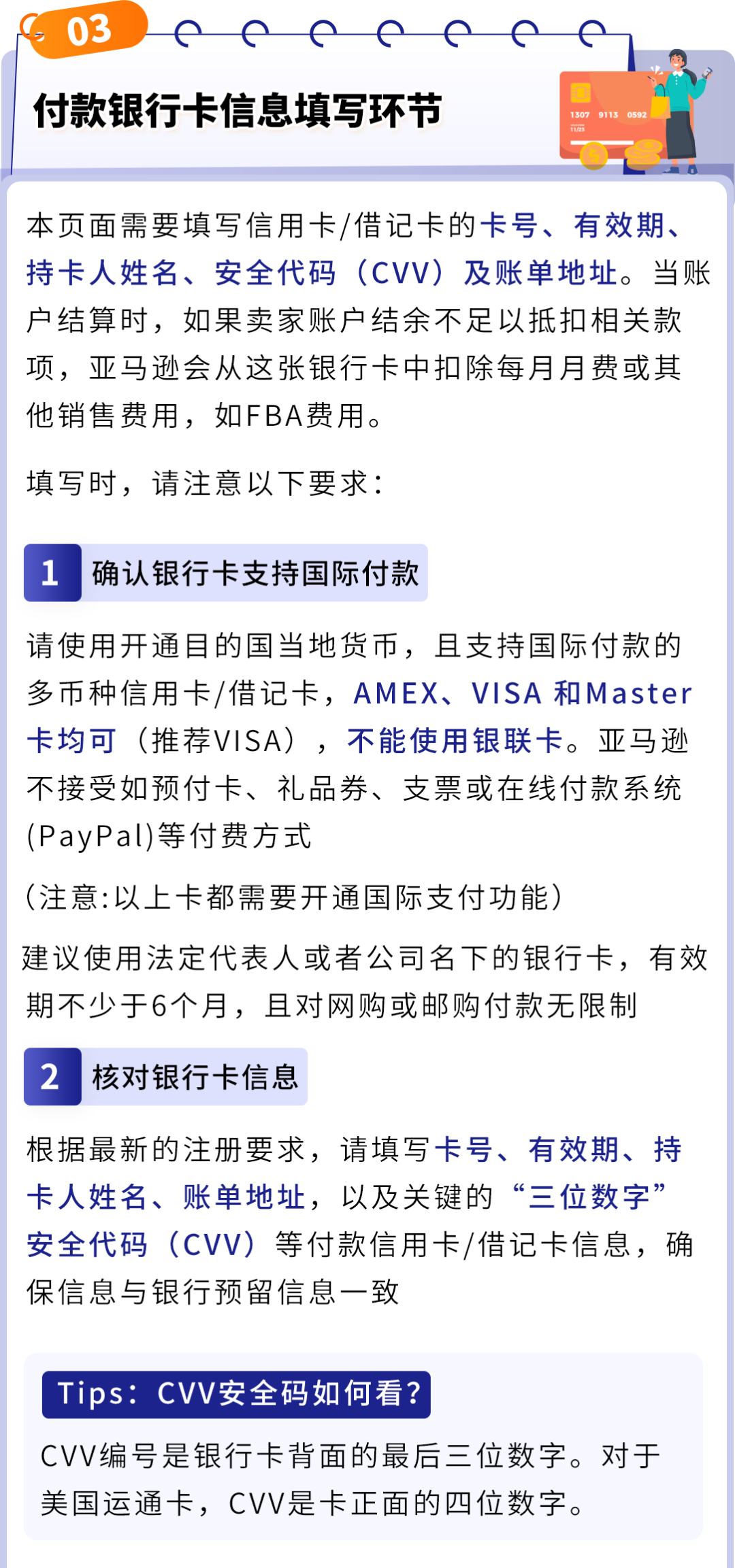
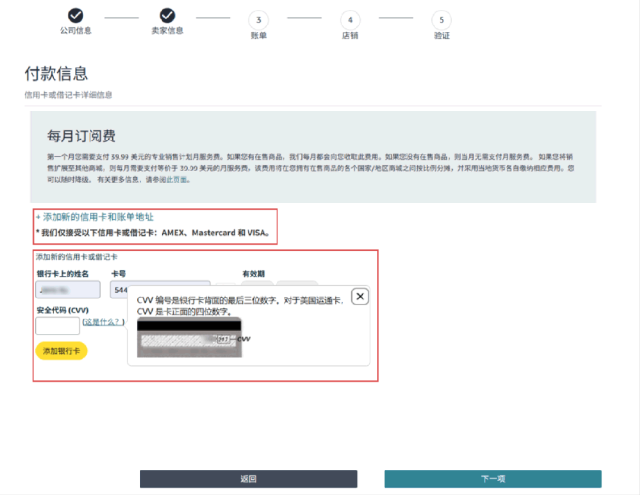
Time saved in registration is progress for global selling. New seller onboarding is underway. Enter the registration page now to experience the upgraded process and prepare for next year’s opportunities. Amazon will continue optimizing registration; more upgrades are coming.
If you have any questions about Amazon, use the link (https://wsurl.cc/wg4chn) or scan the QR code to contact the official customer development manager: