 Amazon Global Store opening

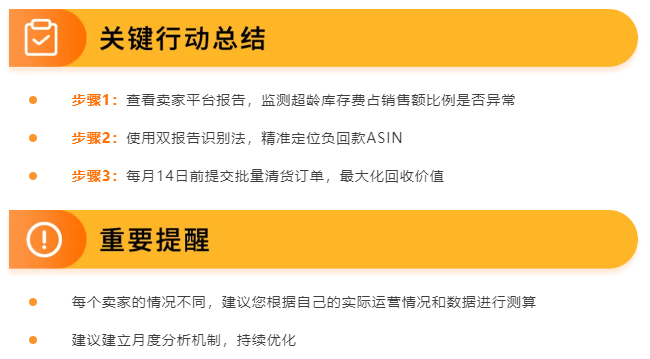
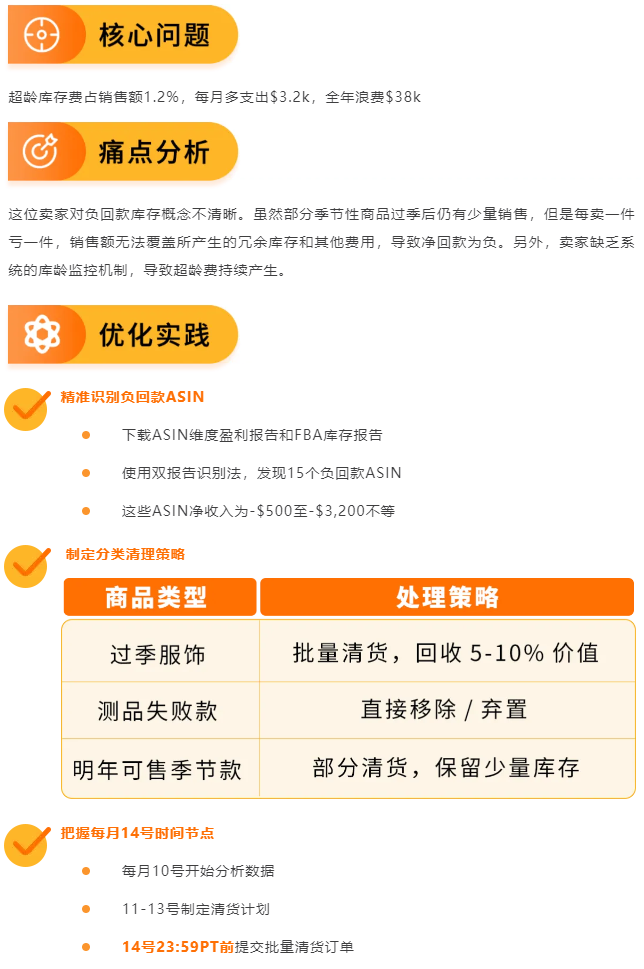
Many sellers do not know if their overage inventory fees are too high. The simplest method is to check two key pieces of data:
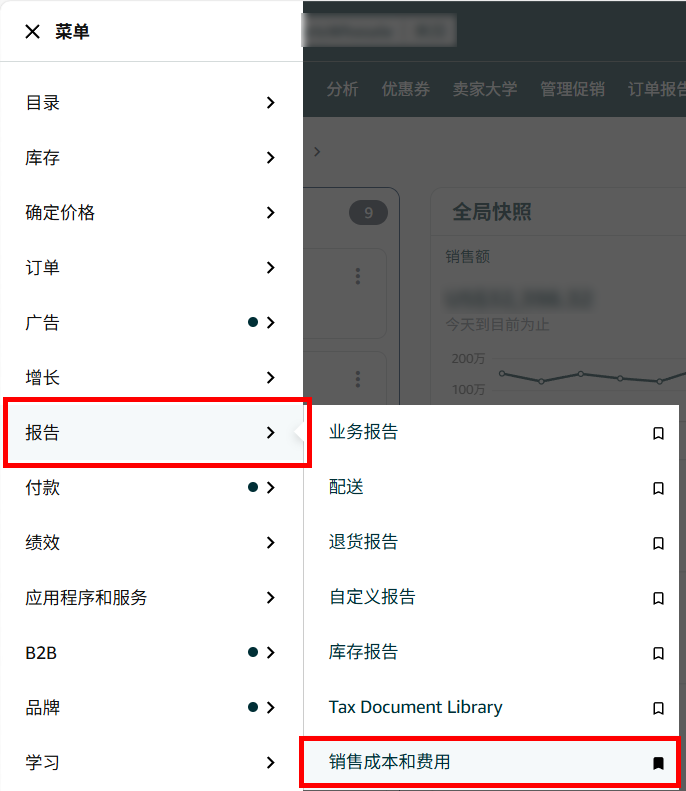
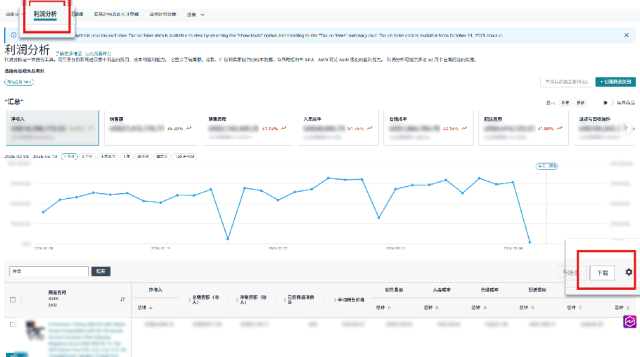
Path:Seller Central → Reports → Profitability Analytics Dashboard → Download the ASIN Dimension Report
Purpose:Check the "Overage Inventory Surcharge" column

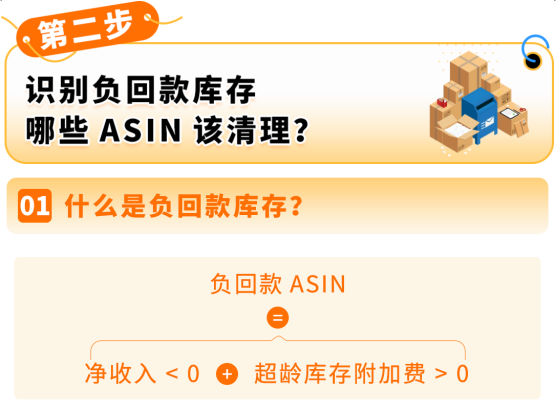
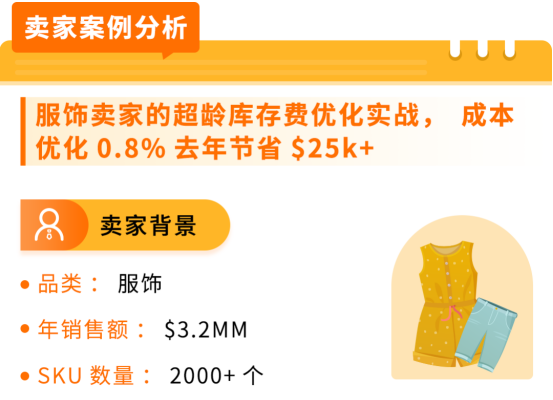
For example, ASINs with an average negative revenue per item sold over the past 6 months, i.e., total revenue < total cost, will continue to incur overage inventory surcharges.
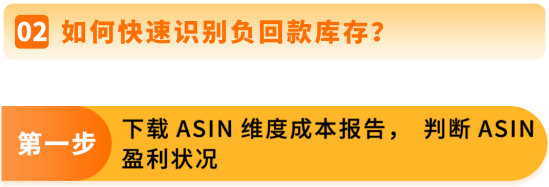
Report Download Path:Seller Central → Reports → Sales Costs and Fees → Amazon Profitability Analytics Dashboard → Download the ASIN Dimension Report
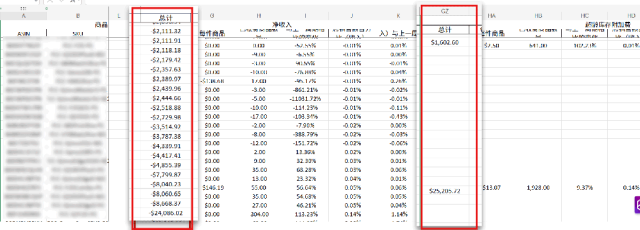
Check the performance of total revenue and cost, focus on two core indicators:
(1)Net Revenue <$0 → Confirm Loss
(2)Overage Inventory Surcharge >$ → Confirm Overage
Net Revenue <0 + Overage Inventory Surcharge >0 means negative revenue inventory. If not handled in time, it may lead to the situation of "the longer it is stored, the more expensive it gets, and the more it is sold, the more it loses!"!

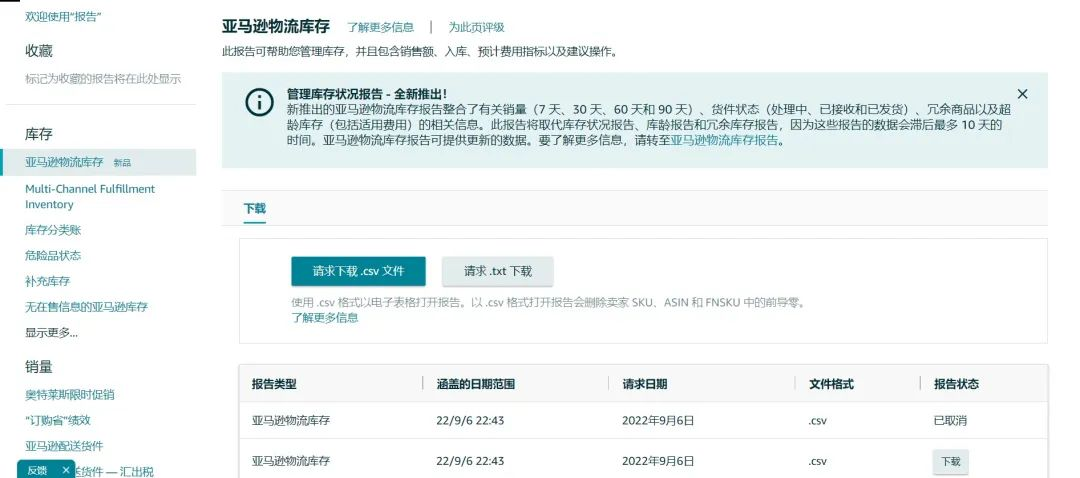
Download the FBA Inventory Report, match the above-mentioned negative revenue ASINs, check the inventory age distribution and quantity. And pay special attention to inventory that has exceeded, or is about to exceed 365 days and 456 days of long inventory.
According to Amazon FBA Overage Inventory Fee New Policy in 2026: Inventory exceeding 12 months (more than 356 days), the maximum overage warehousing fee can reach 13 times the monthly warehousing fee. If not handled in time, these inventories will become a "the longer it is stored, the more expensive it gets, and the more it is sold, the more it loses" vicious cycle!
Report Download Path:Seller Central → Inventory → Amazon Logistics Inventory → Request to Download .csv File
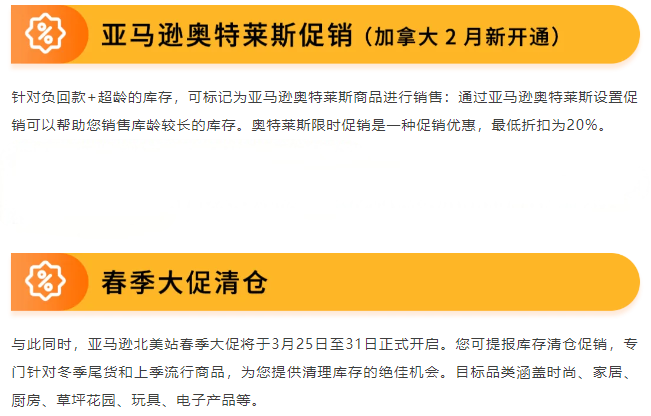
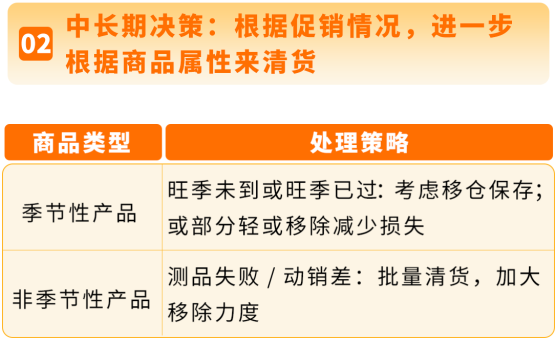
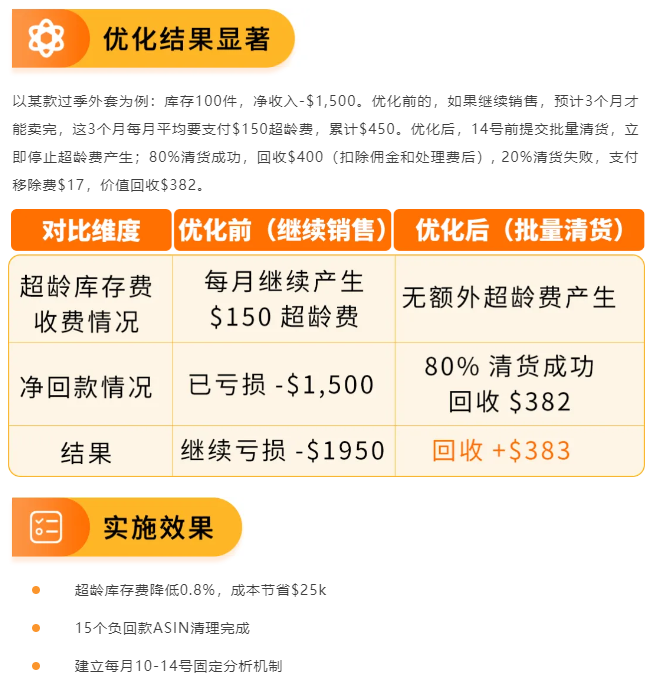
Important Tip: As long as you submit a clearance request before the 14th of each month, even if the inventory is still in stock on the 15th, it will not be counted in this month's overage fee!
Submit Clearance Order Path:Seller Central → Inventory → Manage FBA Inventory → Select ASIN → Create Removal/Disposal Order → Select "Batch Clearance".
If you have any questions about Amazon, you can use the link ( https://wsurl.cc/wg4chn ) or scan the code to contact the official customer development manager: