 Amazon Global Store opening
Amazon has zero tolerance for rule violations, consumer harm, or unfair competition against compliant sellers.
To maintain trust, Amazon may invite sellers with questionable identities to complete online verification with Amazon virtual identity verification reviewers, ensuring they operate under their true and reliable identities.
In short:
This is identity verification by video. Amazon verifies the real business entity behind the account through a video call to ensure compliant operations under a true identity.
This is not a penalty, but you must take it seriously.
Receiving a virtual identity verification notice does not mean your account has a problem. It is not a “judgment,” but an identity confirmation conversation.
Two things you must know:
After receiving the notice, there is usually only a 14-day grace period. Some accounts have no grace period and must pass verification immediately to resume sales.
If you do not complete verification within the grace period, your account will be suspended.
Even if you have not received a notice, learn the process and prepare materials in advance.

Many sellers do not fail verification; they miss notices and miss the grace period. Amazon notifies you in three ways:

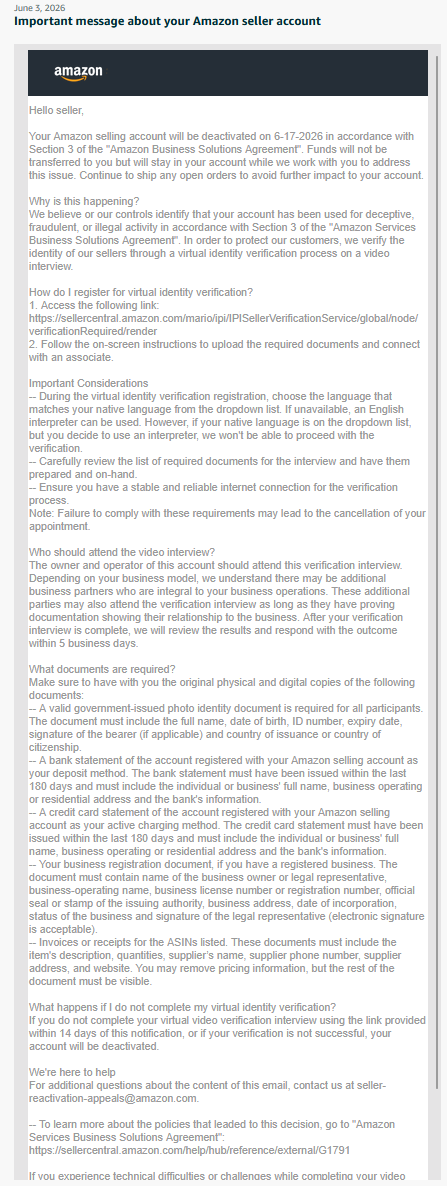
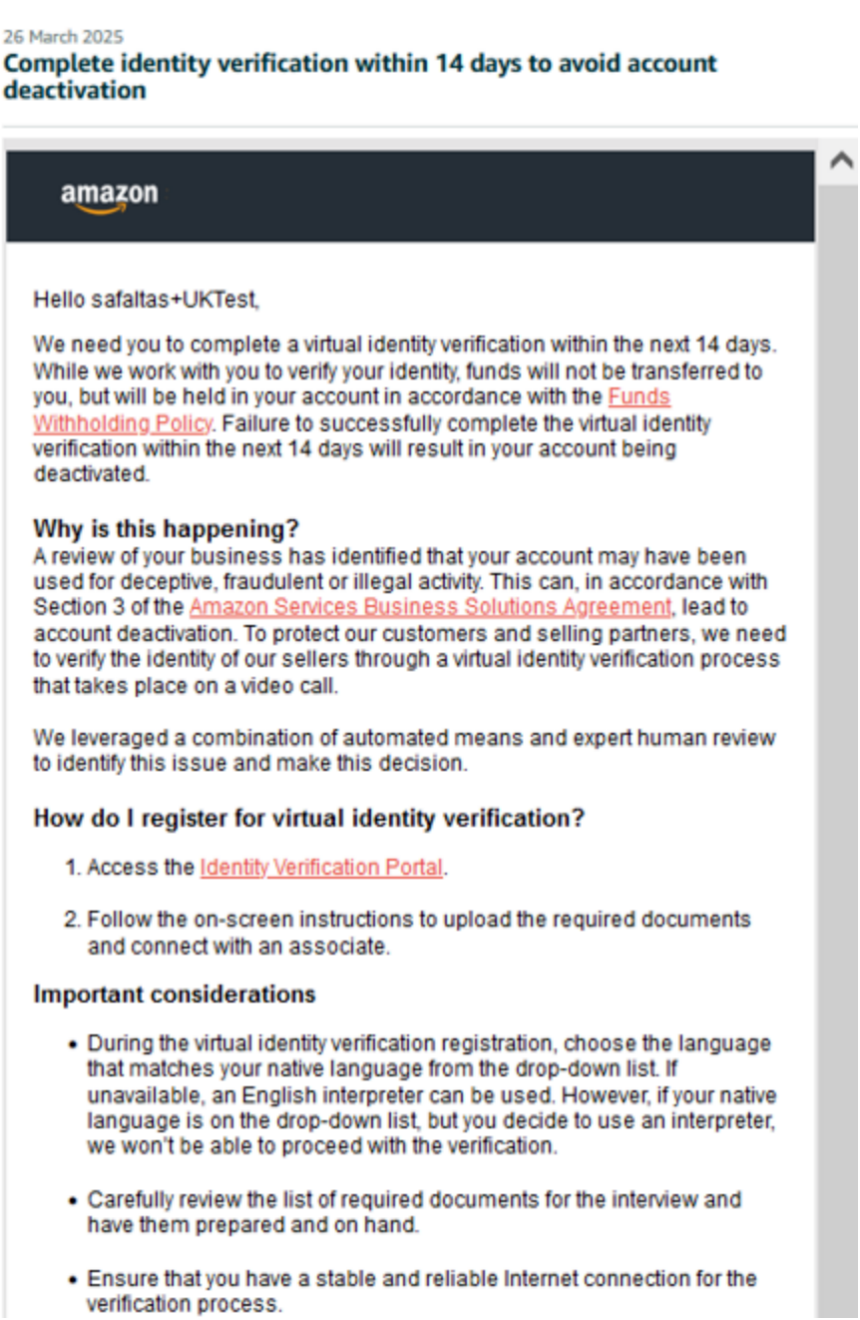
Amazon sends an email to the address registered on your account. If you receive a similar email, you have a virtual identity verification invitation that must be completed soon.

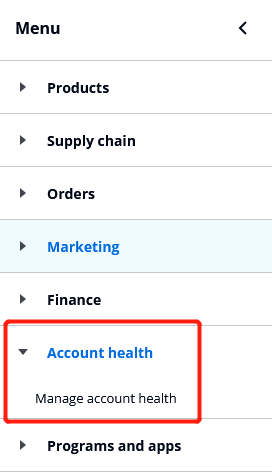
Log in to Seller Central, go to “Account Health > Manage Account Health > Performance Notifications” to view the notice.
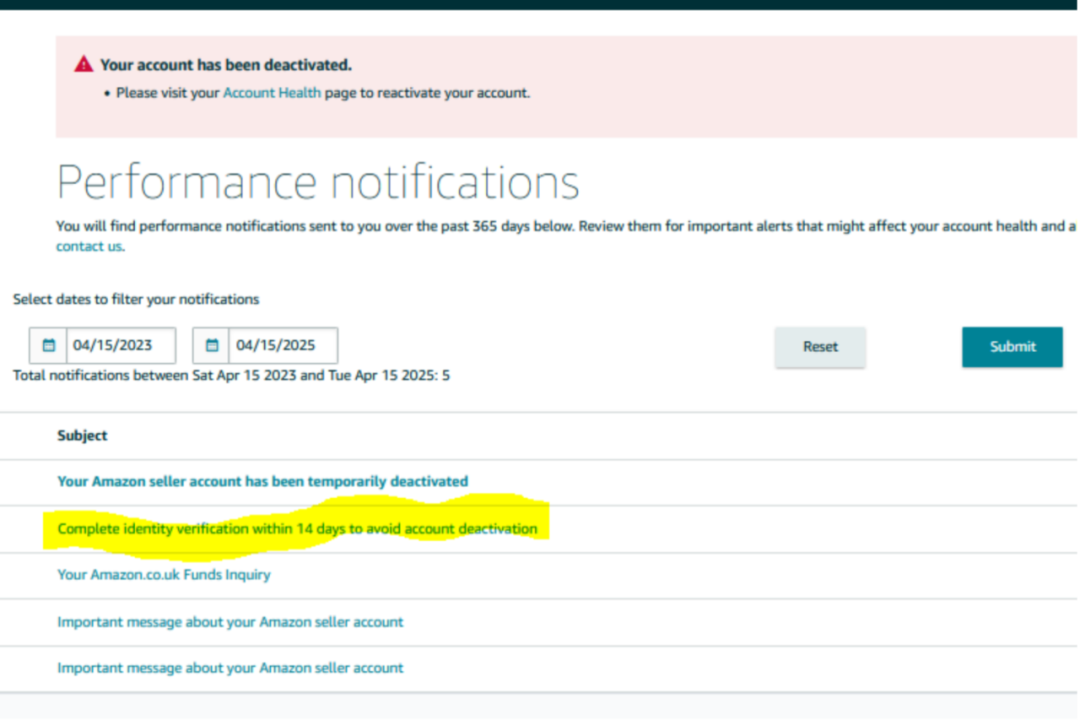
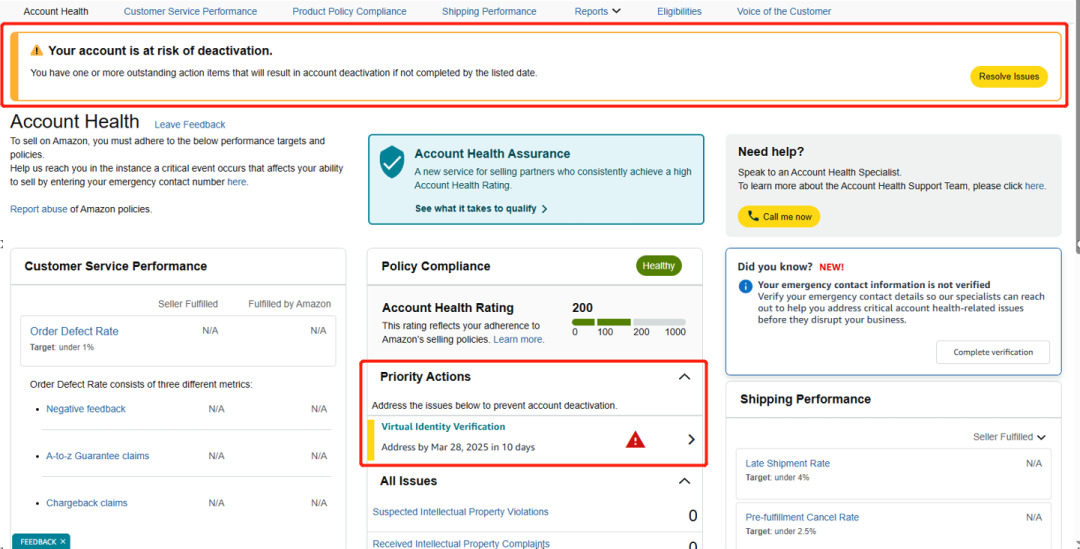
Amazon usually gives you a 14-day grace period and sends another reminder on day 7 to prevent you from missing it. Some accounts have no grace period and must pass verification to restore selling. Watch your email and Performance Notifications!

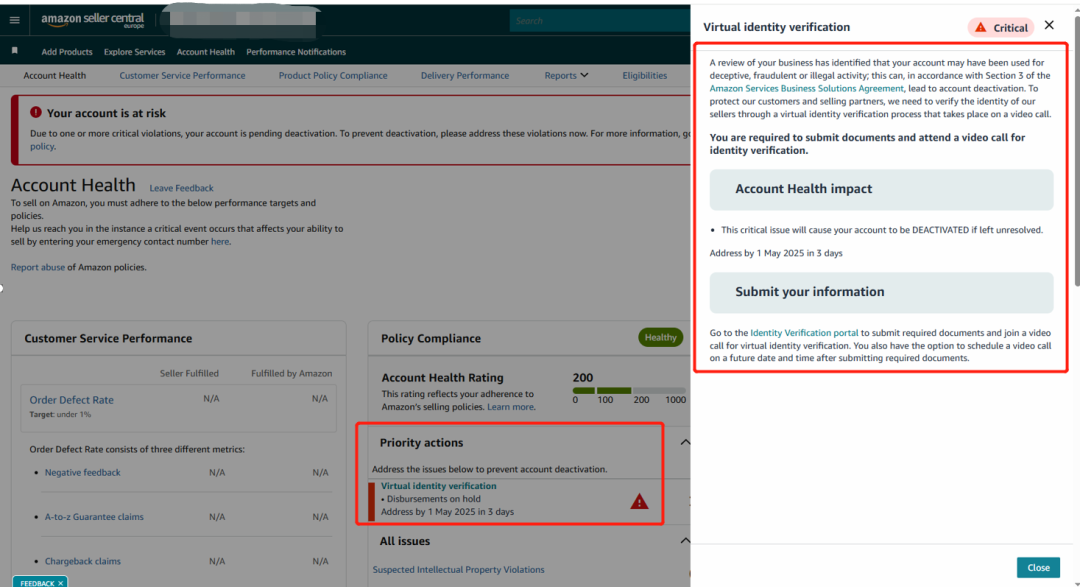
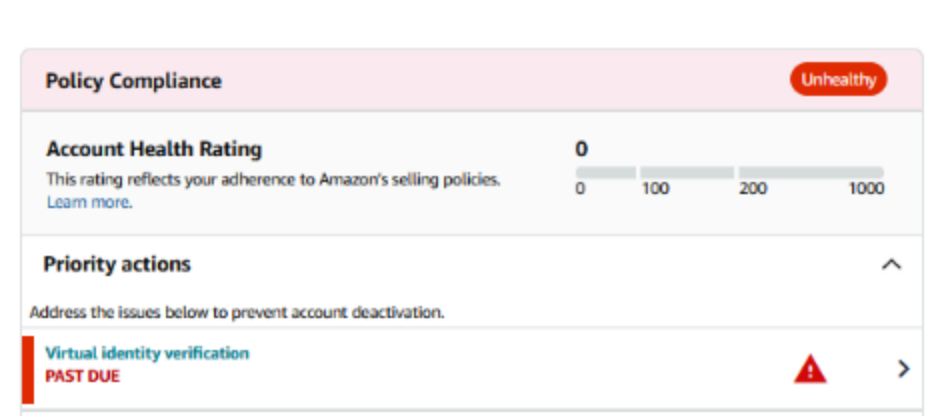
Amazon knows many Chinese sellers (especially new sellers) do not regularly check email or Performance Notifications, so it added risk alerts at the top of Seller Central and prominent remaining-time reminders in “Priority Actions” on the Account Health page.

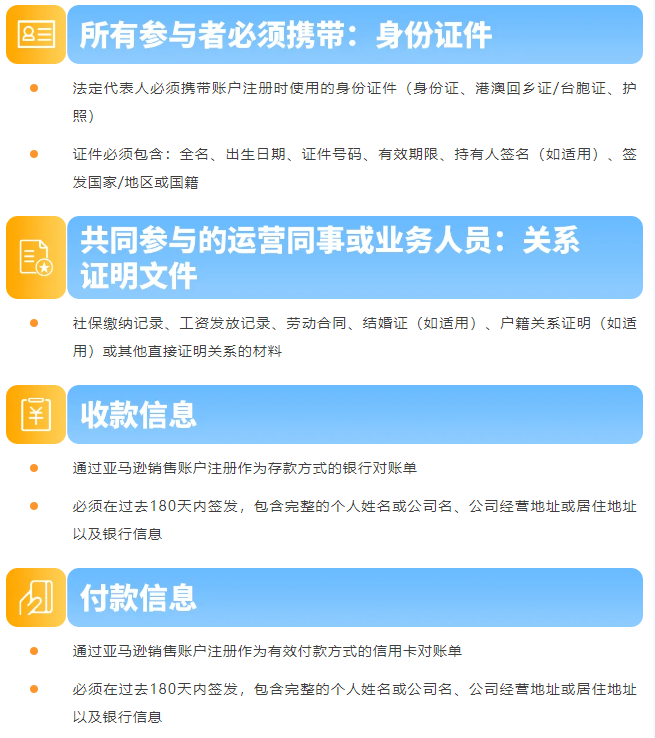
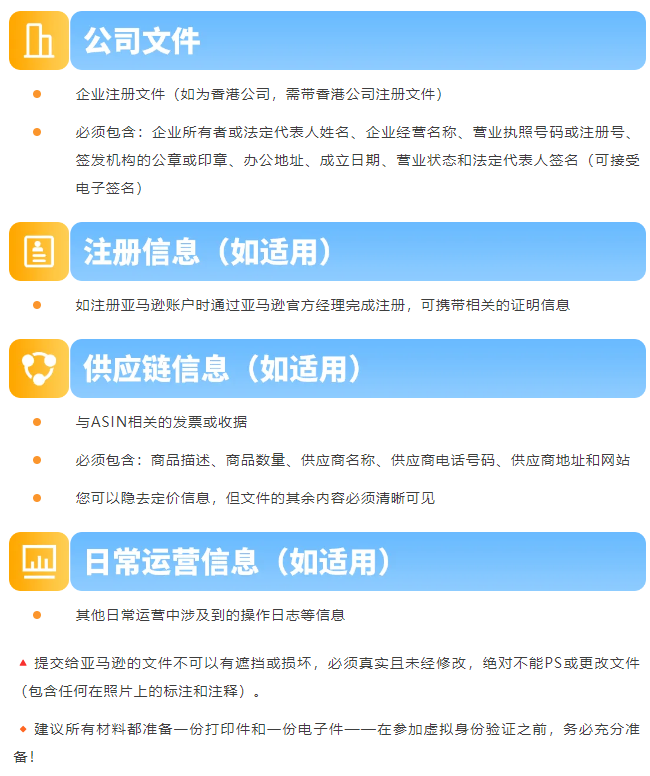
Upload four document types: two required and two optional. Read the requirements carefully.
Below is the complete material list (prepare one printed and one electronic copy of each):
Two ways to enter:

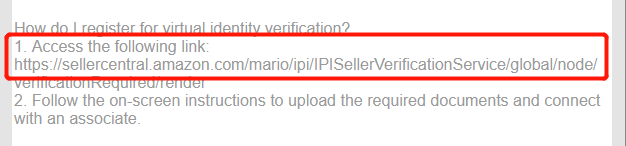
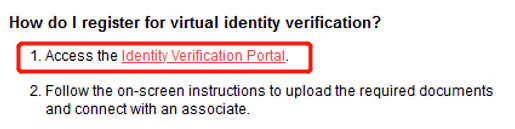
In the email/notification, find “How do I register/attend virtual identity verification?” and click the link (old version) / visit the identity verification portal (new version)

In “Priority Actions” on Account Health, click “Virtual Identity Verification,” then click “Visit identity verification portal” in the upload window.

Before proceeding, read all requirements and ensure you are fully prepared.


Upload four document types: two required and two optional. After uploading, click “Submit all documents”, confirm, then click “Go to identity verification call.”
Important:
Once you click “Go to identity verification call,” you cannot return to upload files! Verify all documents carefully.
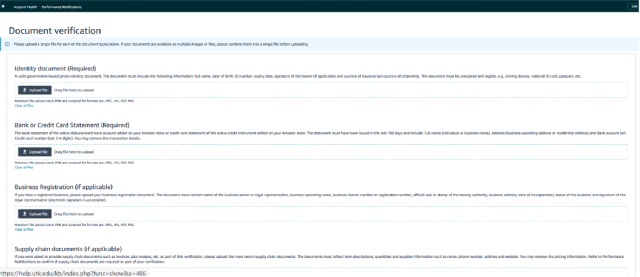

After clicking “Go to identity verification call,” you have two options:

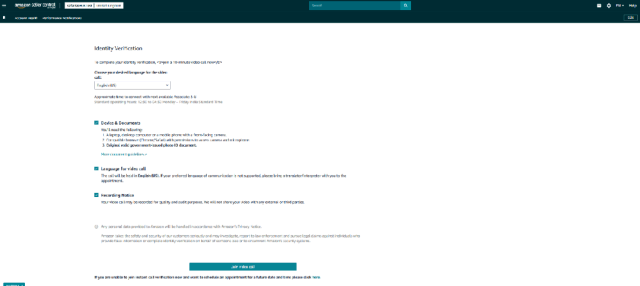
Like a hotline, connect directly without an appointment. Steps:
Choose the language for communicating with the reviewer.
If non-native, bring an interpreter; if native or fluent, Amazon matches you with a reviewer speaking that language. Language does not affect the result, but clear communication is critical. Listen carefully, understand the question, and confirm before replying.
Read and check the checkbox below.
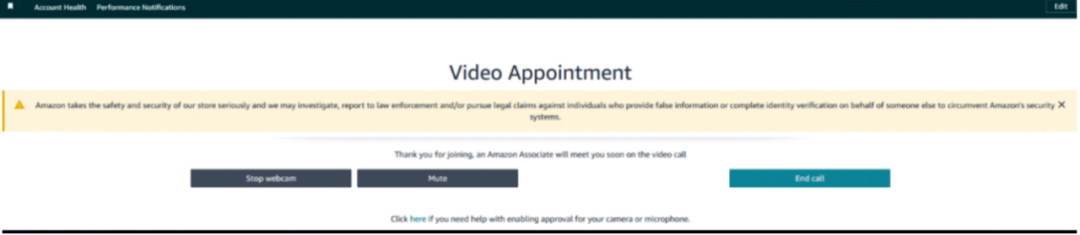
Click “Join video call” and wait for the reviewer. If peak-hour wait is too long, choose another time.

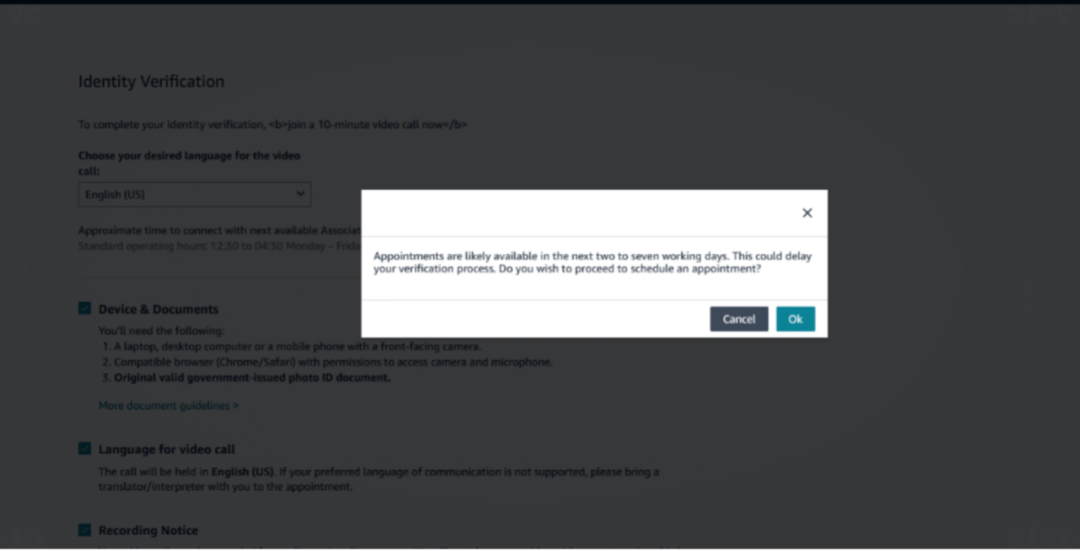
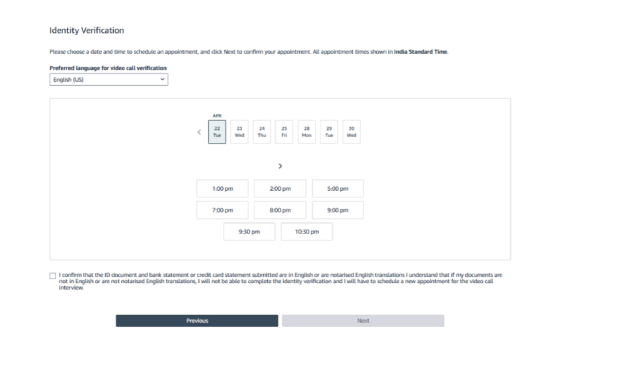
You can also schedule a future slot. Click “Please click here” at the bottom of the email to choose an available time.
Important:
If no slots appear, refresh the page occasionally.
If you are near the end of the 14-day grace period, do not wait for a future slot! After full preparation, connect immediately via “Instant Call”.
Note: The method does not affect the result. Use whichever is convenient, but be fully prepared either way!


The account owner (legal representative) must attend. If the legal representative is not involved in daily operations, an operations colleague familiar with the account may accompany them. Other closely related personnel may attend if they hold documents proving their business relationship with you.
All participants must attend the verification call from the same physical location.

Ensure a stable connection, quiet and well-lit environment, and no unrelated personnel.
Computer or phone with working front camera, headset, and microphone (test in advance).
All seller-related participants must turn on video.
Recommended: Safari on Mac; Google Chrome on other systems.
Prepare one printed and one electronic copy of all materials.
Verification duration: Usually 10–60 minutes; allow ample time.
After verification: Amazon reviews your materials, usually within 5 business days. Contact Seller Support for progress. Results are sent by email and Performance Notification. If you fail, your account becomes “Suspended.”

If you missed the grace period, your account status becomes “Suspended,” and “Priority Actions” will alert you that you missed an important item.
Note:
The verification link above is still valid. Complete verification as soon as possible to restore your selling status.

Q1 What if no virtual identity verification time slots are available?
Use “Instant Call” if ready. If the page does not appear, submit feedback via “Contact Us” in “Account Health.”
Q2 What if I cannot understand the reviewer's questions?
Confirm the key points first, then answer based on the facts to avoid irrelevant answers.
Q3 What if the reviewer speaks too fast?
Ask them to slow down so you can hear clearly.
Q4 What if hardware fails or a participant suddenly becomes ill?
If crashes, pop-ups, no-show by Amazon, or sudden illness occur, explain truthfully, end the session, and preserve the option of attending a future call. Contact Amazon via “Contact Us” in “Account Health” to reapply when ready.
Q5 What if I think my account was suspended by mistake and want to appeal?
Log in to Seller Central, go to Account Health, click “Submit new information” in the deactivation notice, and appeal.
Q6 What if I receive virtual identity verification and other reviews (e.g., KYC) at the same time?
Complete all required verifications to keep selling.
Q7 How do I learn the final result?
Amazon will send email and Performance Notification. If you fail, your account becomes “Suspended.”

If you have questions about Amazon, use the link ( https://wsurl.cc/wg4chn) or scan the code to contact the official customer development manager: